
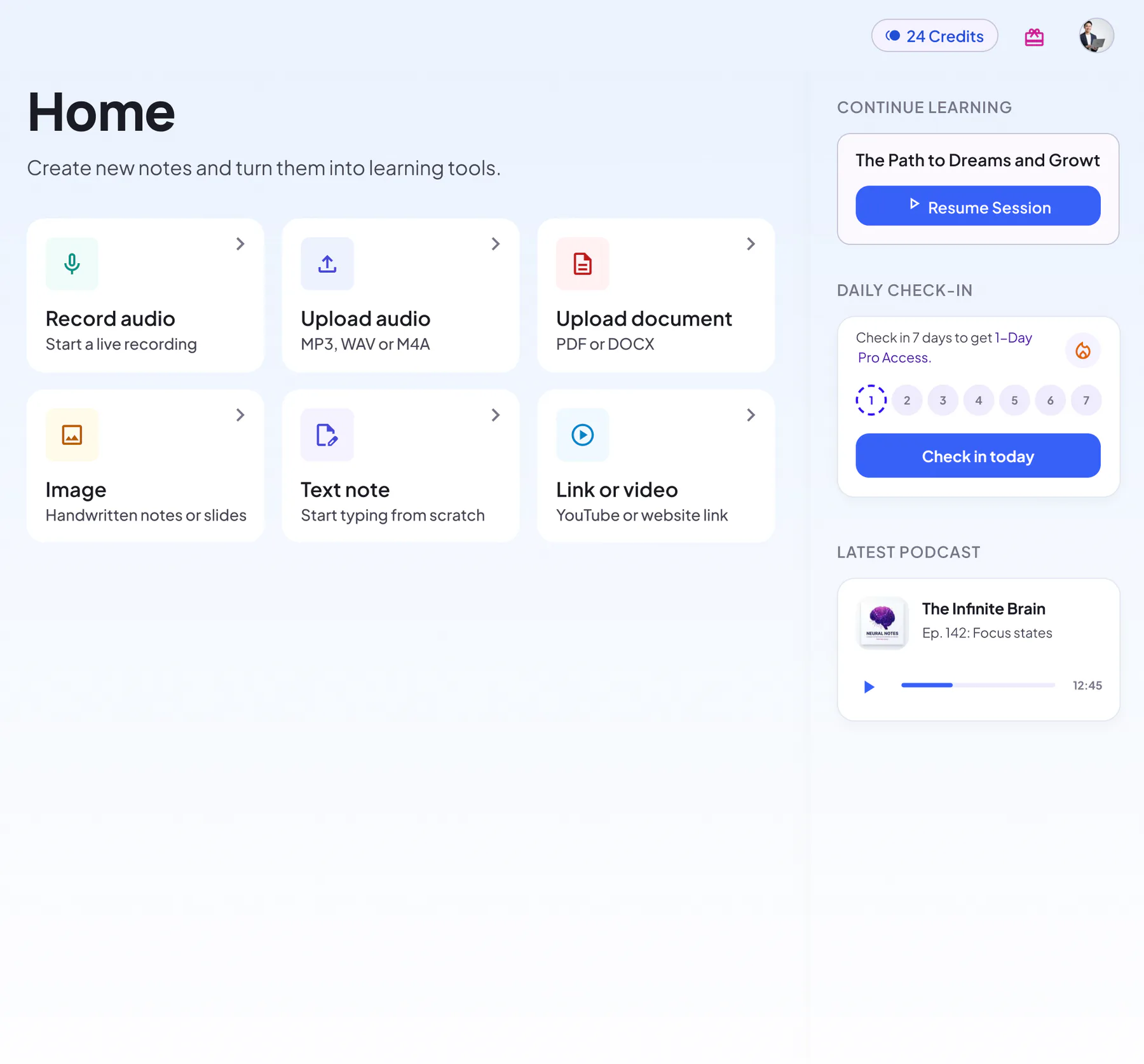
Capture & Import
Six intuitive ways to capture content — text, voice, audio, PDFs, links and images.
Manual Text Input
- Rich formatting
- Paste text from anywhere
- Headings, lists, tables and to‑dos
Voice to Note
- Unfinished recordings saved for recovery
- Live transcript in the mobile app
- Waveform view
- Pause and resume recording
Audio File Upload
- MP3/WAV/M4A
- AAC and OGG too
- Full transcript with every note
- Playback next to the transcript
PDF Document Import
- Smart structure parsing
- DOC and DOCX files too
- Open the original file from the note
Link Import
- YouTube videos and web pages
- Subtitle extraction
- Turns the page into a structured note
- One click back to the source
Image Upload
- OCR text recognition
- Multi‑language
- Up to 9 images in one note
- Handwritten notes and slides
Which capture method fits your content?
| You have… | Use | Works with | Limits |
|---|---|---|---|
| A live lecture, meeting or idea | Voice to Note | Hands-free recording with pause and resume | Currently up to 150 minutes per recording |
| An existing recording | Audio File Upload | MP3, WAV, M4A, AAC, OGG | Currently under 200 MB and up to 120 minutes per file |
| Slides, papers or handouts | PDF Document Import | PDF, DOC, DOCX | Currently under 30 MB per file |
| A YouTube lecture or an article | Link Import | Public web pages and YouTube videos with captions | No pages behind a sign-in or paywall |
| Textbook photos, a whiteboard or handwritten notes | Image Upload | JPG, PNG, WEBP | Up to 9 images per note |
| Your own notes or an outline | Manual Text Input | Rich formatting and pasted text | Creating a note needs an internet connection |
Scanned PDF without selectable text? Upload photos of the pages with Image Upload instead.
How capture works
Pick a source
Record, upload audio or a document, paste a link, add images or write text.
Add a title and a notebook
Leave the title blank and NoteLyn names the note for you. The notebook keeps related notes together.
Create, then study
NoteLyn builds the note. Then study it with flashcards, a quiz, a mind map, a podcast and AI Chat.
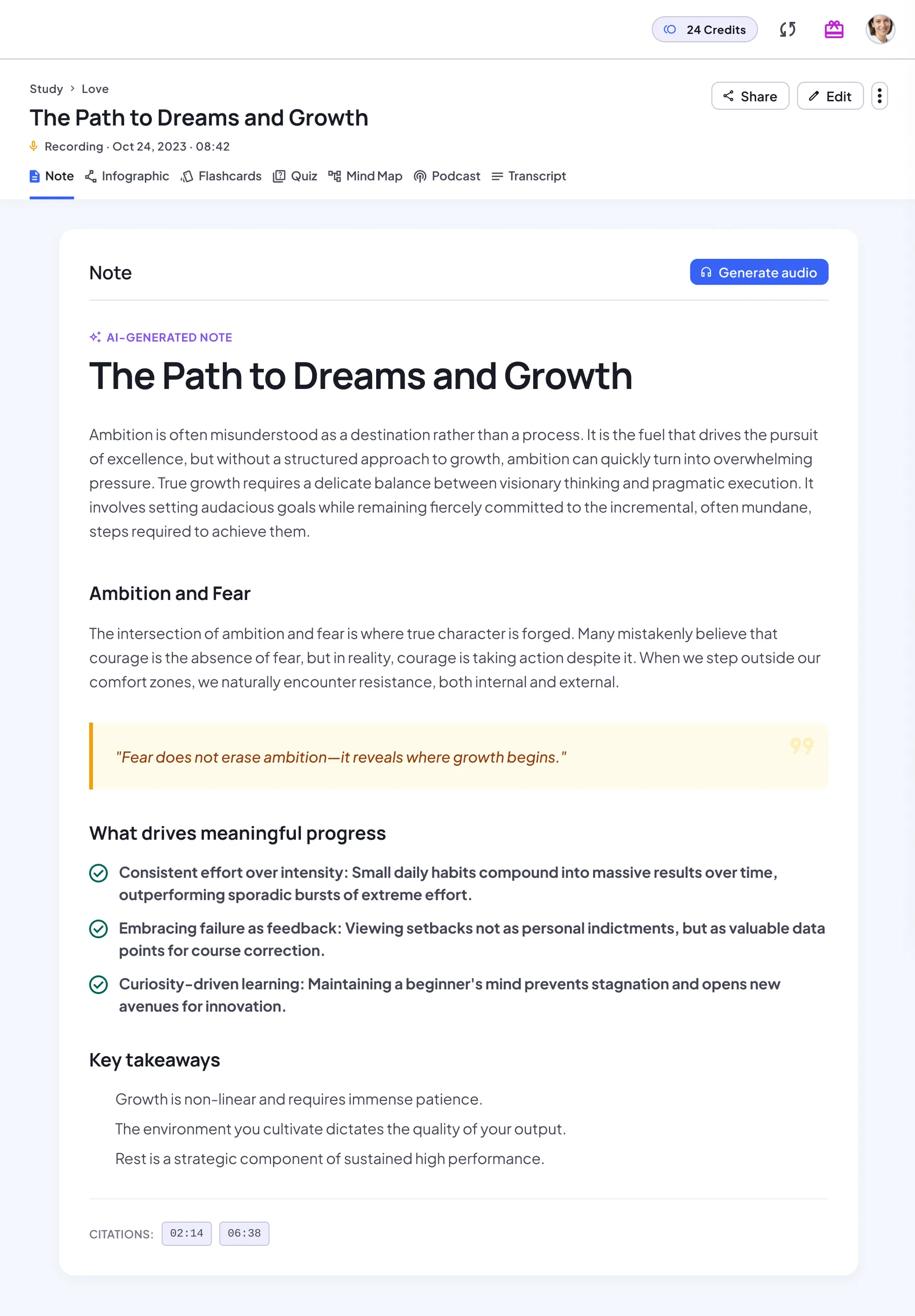
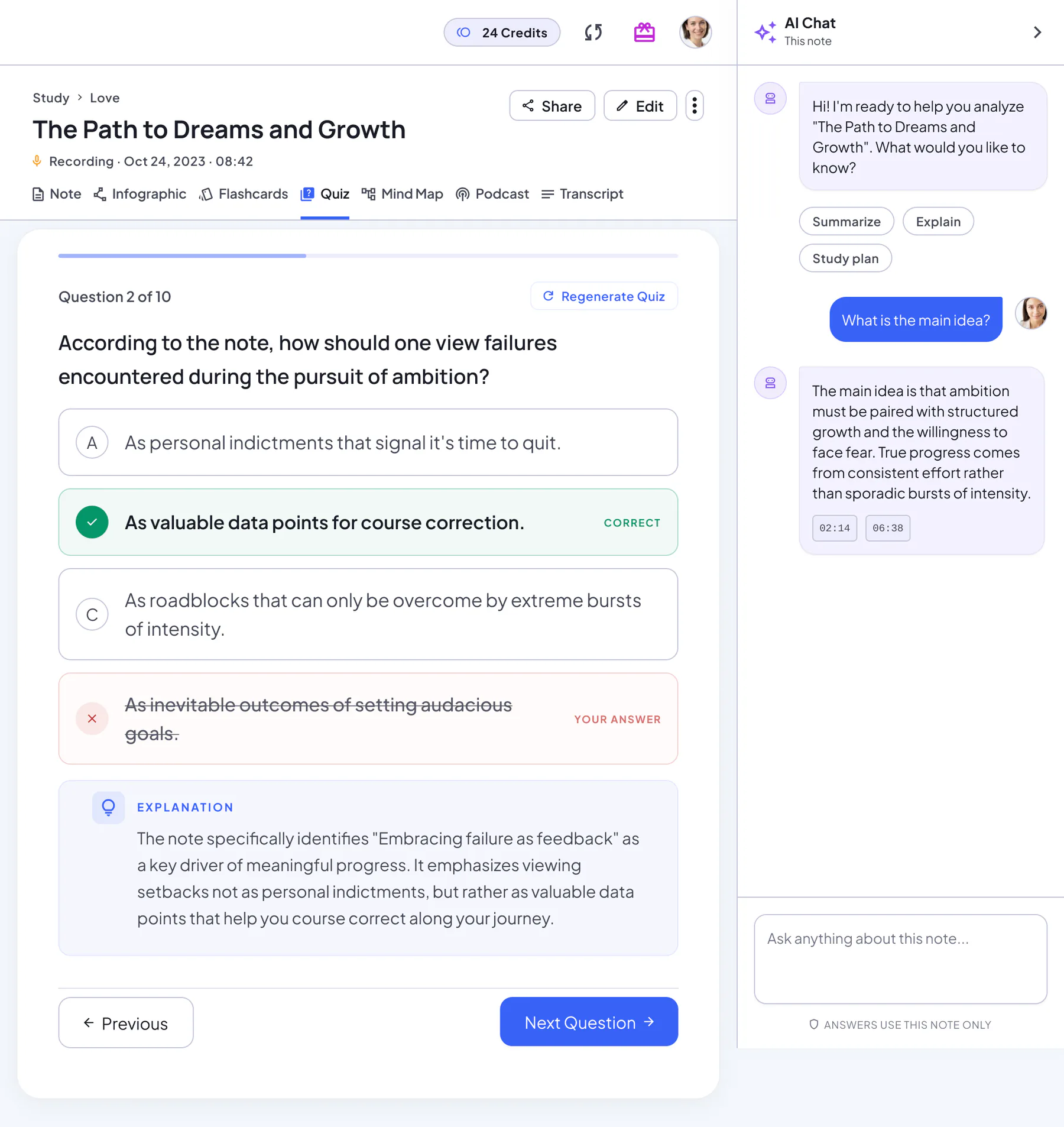
Every capture becomes a full study set
Whichever way your content comes in, you get the same set of study materials, all in one note.
AI note
A structured note with headings, key points and key takeaways. Regenerate it anytime.
Transcript
The original text next to its source: the audio player, the document, the web link or your images in order.
Flashcards
A deck built from the key concepts. Flip through it card by card, then restart.
Quiz
Multiple-choice questions with an explanation for every answer, a score and a full review.
Mind map
The structure of the note as a map you can zoom, pan and download.
Infographic
A one-page visual summary poster you can download or share.
Podcast
A two-host audio overview of the note, for revision on the go.
AI Chat
Ask follow-up questions and get answers based on your note.
Overview
- Six capture options for any scenario
- Keep notes from every source together in notebooks
- Unfinished recordings are saved so you can finish later
Supported formats
Capture quality tips
- Record in a quiet place; keep the mic steady
- For meetings, place the phone centrally for better pickup
- Scan documents flat and well‑lit; avoid shadows
- For links, prefer sources with subtitles for best results
Privacy & processing
- Your notes stay yours and can be deleted anytime
- We don't use your content to train third‑party models
- Processing accuracy depends on input quality; quick edits are easy
Capture FAQ
How long can I record?
Recordings have a time limit, and recording stops automatically when you reach it. For best results, record per session or chapter.
Can I combine inputs?
Each note is created from one source, such as a recording, a PDF or up to 9 images. Keep related notes in one notebook and summarize the whole notebook at once.
Do you support multiple speakers?
Multi‑speaker recordings are transcribed in full, but speakers aren't labeled separately.
Is NoteLyn free to start?
Yes, you can start for free in your browser or in the mobile app. Some features need a subscription: podcasts, for example, are a Pro feature and use credits based on their length, charged only if generation succeeds.
What are the file size and length limits?
Currently: audio files under 200 MB and up to 120 minutes, recordings up to 150 minutes, documents under 30 MB, and up to 9 images per note.
Can I use NoteLyn in the browser and on my phone?
Yes. NoteLyn works in a modern browser with no download, and there is an app for iOS and Android. The mobile app also shows a live transcript while you record.
Related pages
Start capturing now
Bring your content — we make it usable.
No download needed — works in any browser
Scan to download