
Capture & Import
Audio File Upload
Upload MP3/WAV/M4A and get accurate transcripts.
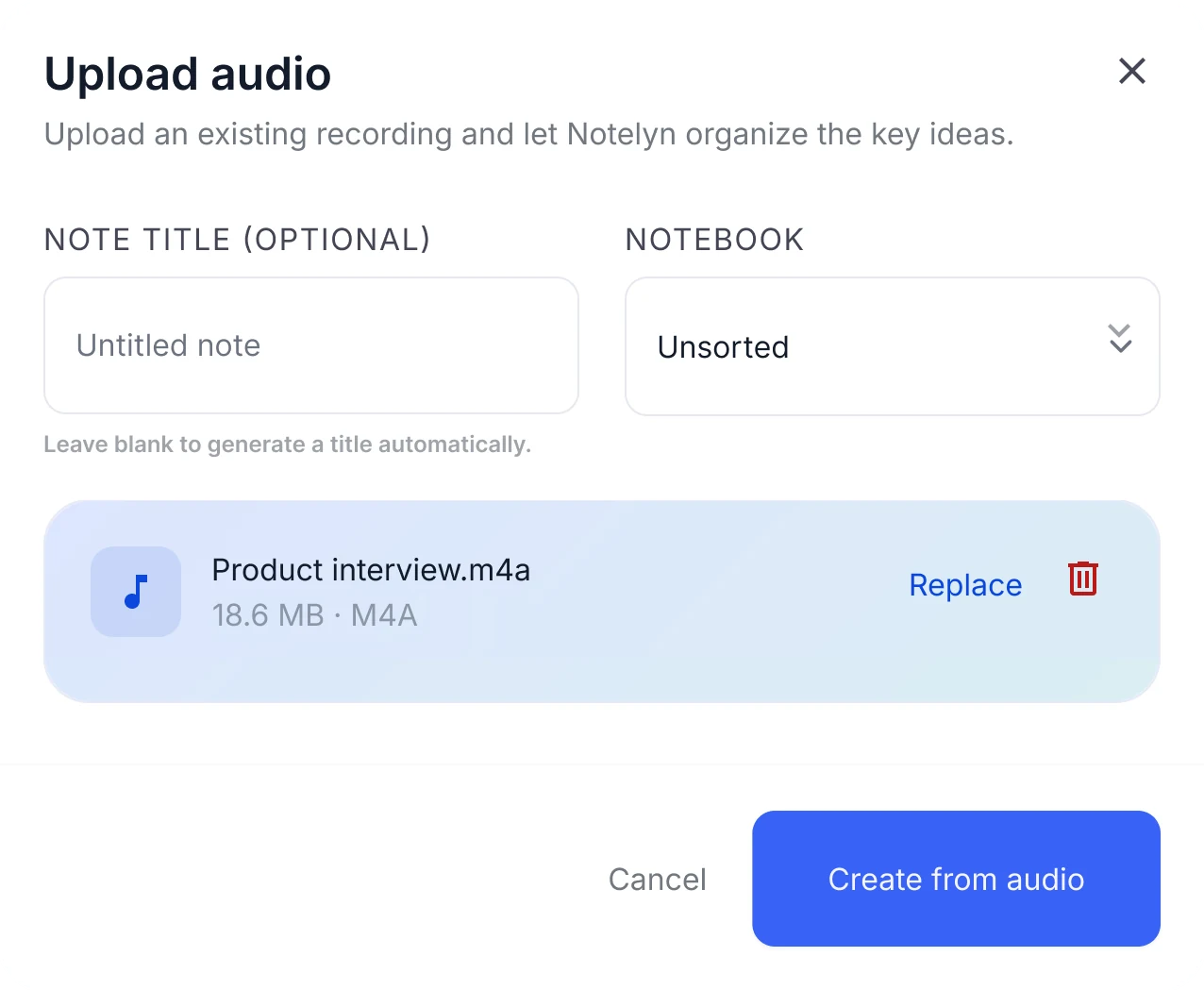
Audio upload to transcript and notes
- AAC and OGG supported too
- Works with multi-speaker recordings (speaker labels not yet supported)
- Play the audio next to the transcript
Audio upload at a glance
- Formats
- MP3, WAV, M4A, AAC, OGG
- File size
- Currently under 200 MB per file
- Length
- Currently up to 120 minutes per file
- Files per note
- One audio file per note; keep related files together in a notebook
- Speakers
- Everyone is transcribed in one transcript; speakers aren't labeled
- Not supported
- Video files such as MP4, and WebM audio. Save the audio as MP3 or M4A first
Limits shown are current values and may change.
When to upload audio files
Recorded lectures or webinars
Get a structured note, flashcards and a quiz to revise the session.
Call recordings and interviews
Read the full transcript and see the main points in the AI note.
Podcasts and voice memos
Skim a summary and a mind map instead of replaying the whole file.
What you get from one audio file
The Transcript tab keeps an audio player next to the text, so you can listen while you read and check any passage.
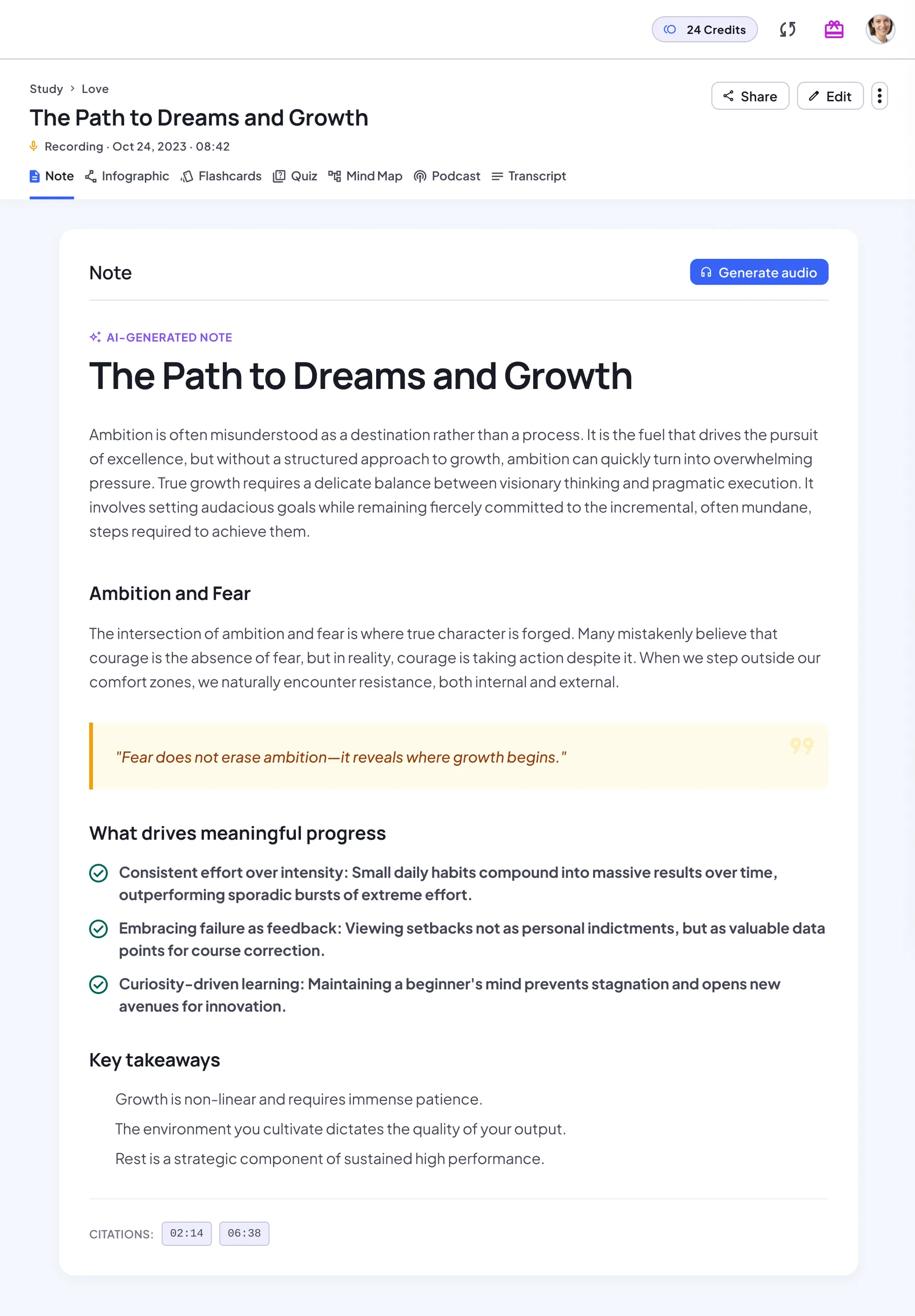
AI note
A structured note with headings, key points and key takeaways. Regenerate it anytime.
Transcript
The original text next to its source: the audio player, the document, the web link or your images in order.
Flashcards
A deck built from the key concepts. Flip through it card by card, then restart.
Quiz
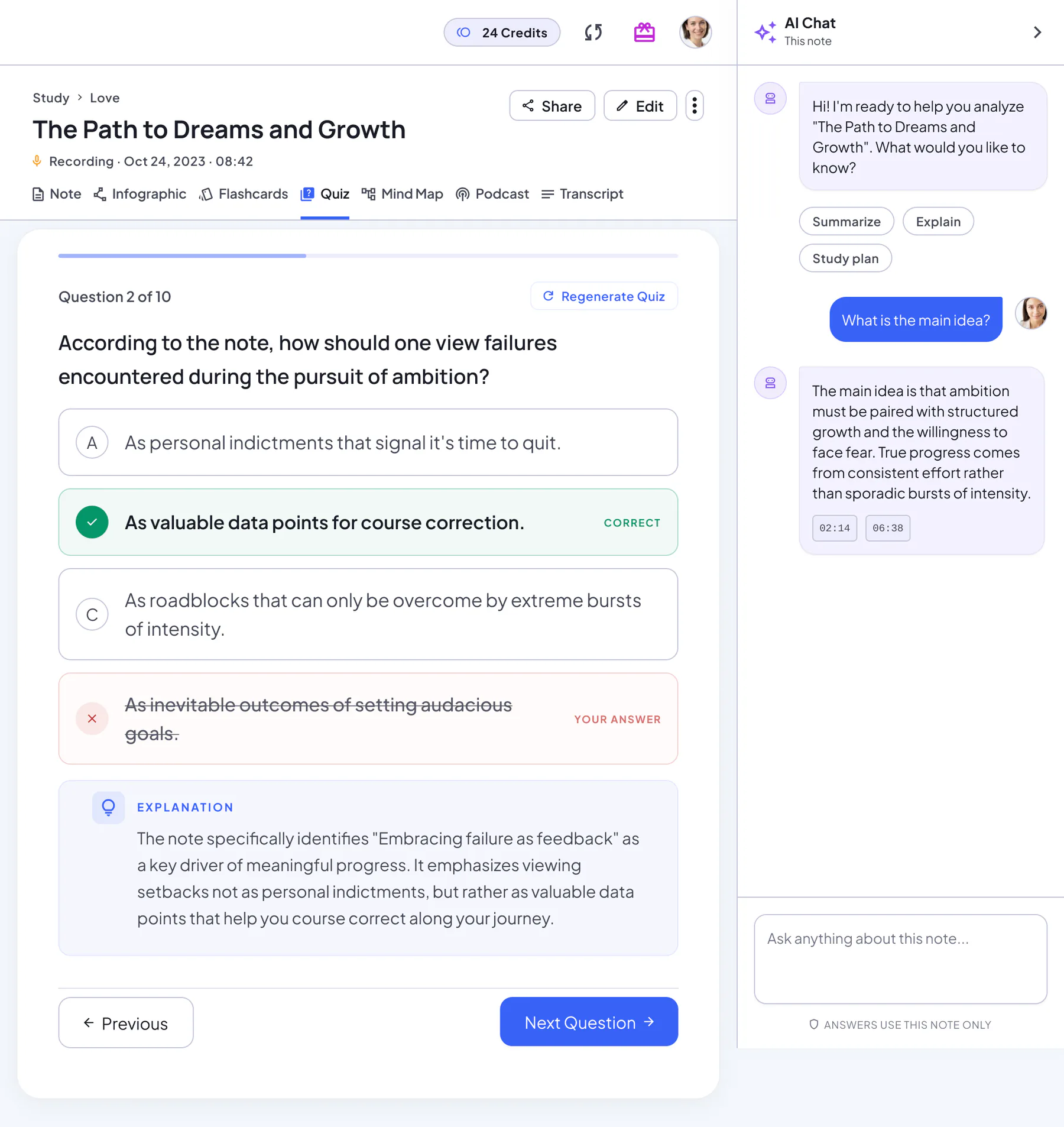
Multiple-choice questions with an explanation for every answer, a score and a full review.
Mind map
The structure of the note as a map you can zoom, pan and download.
Infographic
A one-page visual summary poster you can download or share.
Podcast
A two-host audio overview of the note, for revision on the go.
AI Chat
Ask follow-up questions and get answers based on your note.
How to upload audio for best results
Choose files (MP3/WAV/M4A)
Drag a file into the dialog or browse for it. NoteLyn checks the format, size and length before uploading.
Add an optional title and pick a notebook
Leave the title blank and NoteLyn names the note for you. The notebook keeps it next to related notes.
Process to get transcripts and summaries
Select Create from audio. You get the full transcript and an AI note, then flashcards, a quiz and a mind map.
Audio upload tips
- Prefer clear audio without background music
- For multi‑speaker audio, upload the original track if possible
Notes & limits
- Very large files may take longer to process
- Transcript quality varies by recording clarity
Audio upload FAQ
Do you support batch upload?
Each note takes one audio file. Upload files one by one, then keep them together in a notebook.
Is diarization available?
Not yet. Everyone in the audio is transcribed, but speakers aren't labeled separately.
How large and how long can an audio file be?
Currently each file must be under 200 MB and up to 120 minutes long. For a longer recording, split it into parts and keep them in one notebook.
Can I upload a video file?
Not directly. MP4 and other video files aren't supported. Save the audio track as MP3 or M4A and upload that. For a YouTube video with captions, use Link Import instead.
How accurate is the transcript?
It depends mostly on the recording. Clear speech close to the microphone, without background music, gives the best results. You can check any passage against the audio in the Transcript tab and regenerate the note if needed.
Is audio transcription free?
Yes, you can start for free in your browser or in the mobile app. Some features need a subscription: podcasts, for example, are a Pro feature and use credits based on their length, charged only if generation succeeds.
Related tools in Note Workspace
Learn more on the NoteLyn blog
Step-by-step guides that go deeper into this way of capturing notes.
- MP3 to Text: How to Transcribe Any MP3 RecordingRead the guide
- Transcriber of WAV File: How to Turn WAV Audio Into Accurate TextRead the guide
- Audio to Text Conversion Software: How to Choose the Right One in 2026Read the guide
- Best Voice Recorder with Transcription: 5 Apps Compared for 2026Read the guide