
Capture & Import
Voice to Note
High‑quality recording, with a live transcript in the mobile app.
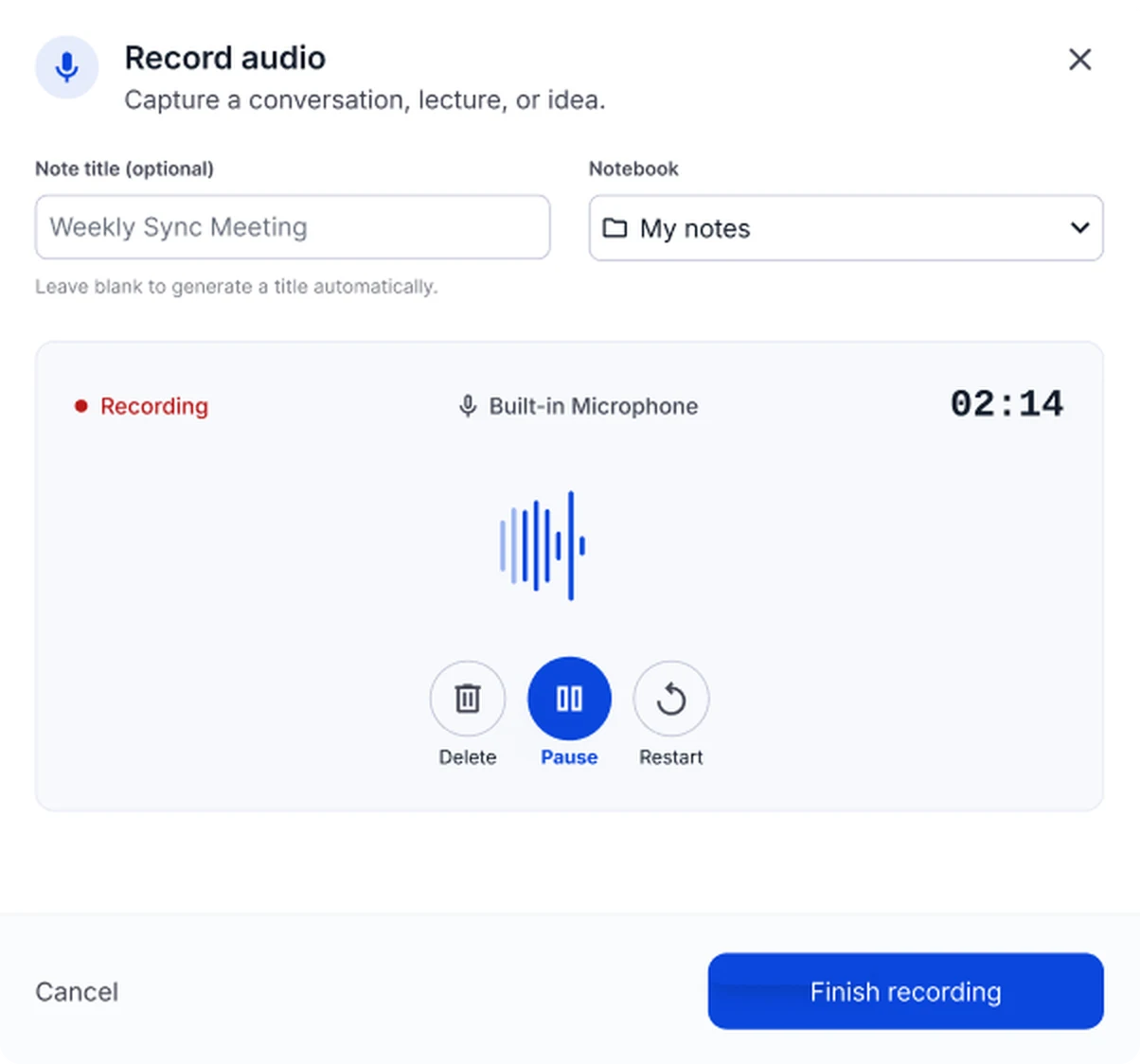
Voice recording to notes: full transcript, live on mobile
- Unfinished recordings saved for recovery
- Waveform view
- Pause/continue
Recording at a glance
- Length
- Currently up to 150 minutes per recording; it stops automatically at the limit
- Minimum
- Record at least 30 seconds for a useful note
- Controls
- Pause and resume anytime, or restart
- Interruptions
- In the browser, an interrupted recording is saved on your device, so you can still create the note
- Speakers
- Everyone is transcribed; speakers aren't labeled
Limits shown are current values and may change.
When to use recording
Lectures and seminars
Capture the whole lecture and review it with notes, flashcards and a quiz.
Meetings and interviews
Get a transcript and the key points instead of typing while you talk.
Brainstorming and voice memos
Speak ideas freely and get them back as an organized note.
Record in your browser or on your phone
| Feature | Browser | Mobile app |
|---|---|---|
| Setup | Nothing to install | Install the app for iOS or Android |
| Transcript | Full transcript in the note after you finish | Live transcript while you record |
| While recording | Keep the recording tab open until you finish | Record wherever you are, away from your desk |
| Best for | Lectures and online meetings at your computer | Classes, interviews and ideas on the go |
From meeting recording to minutes
Recording is the easy part. NoteLyn turns it into something your team can act on.
Record the meeting in the browser or the app.
Get the full transcript and an AI note with the main points.
Ask AI Chat to draft minutes or list the action items from the note.
Keep every meeting of a project in one notebook.
What you get from one recording
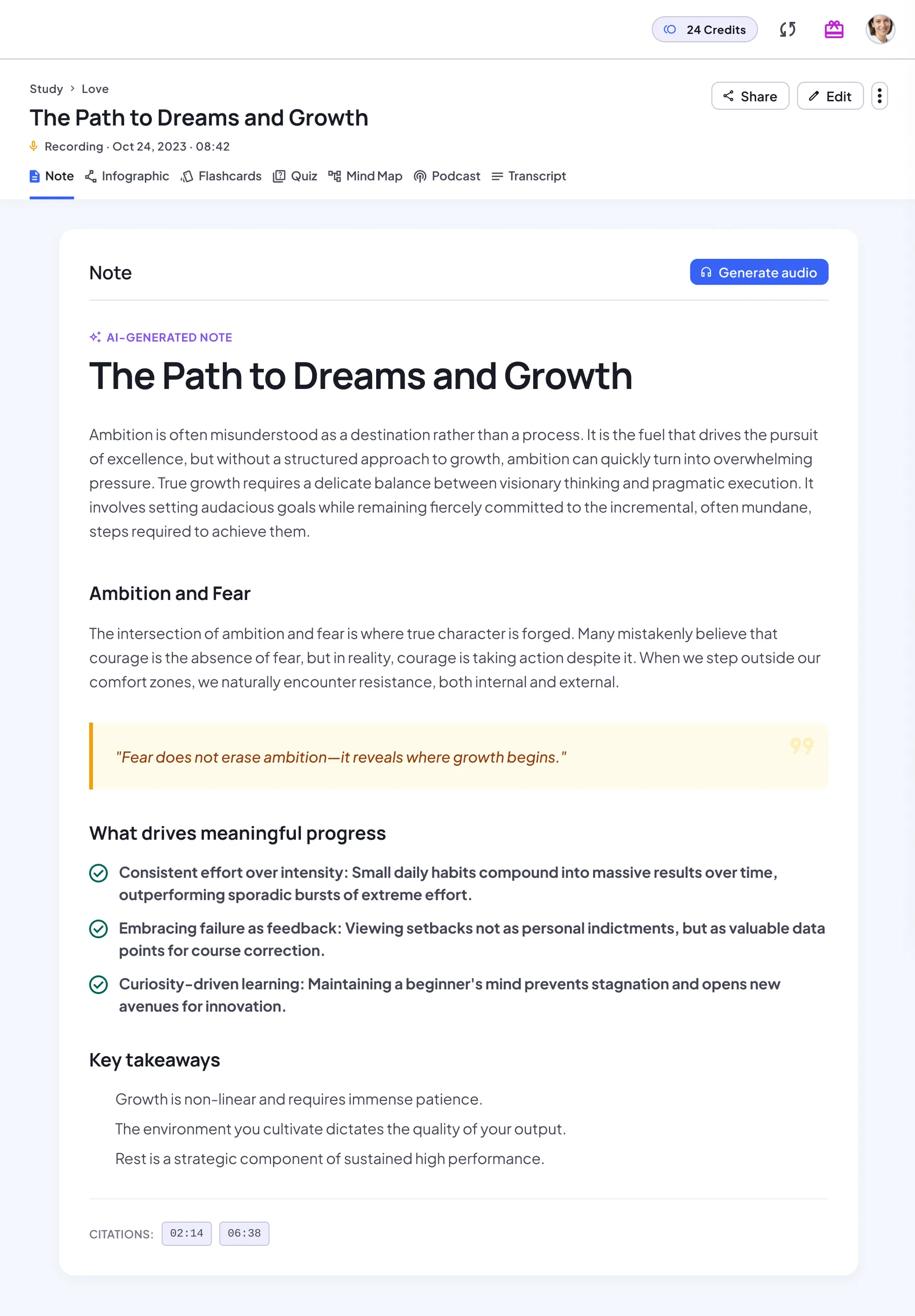
Recordings get the same study set as uploads, and the Transcript tab plays the recording next to the text.
AI note
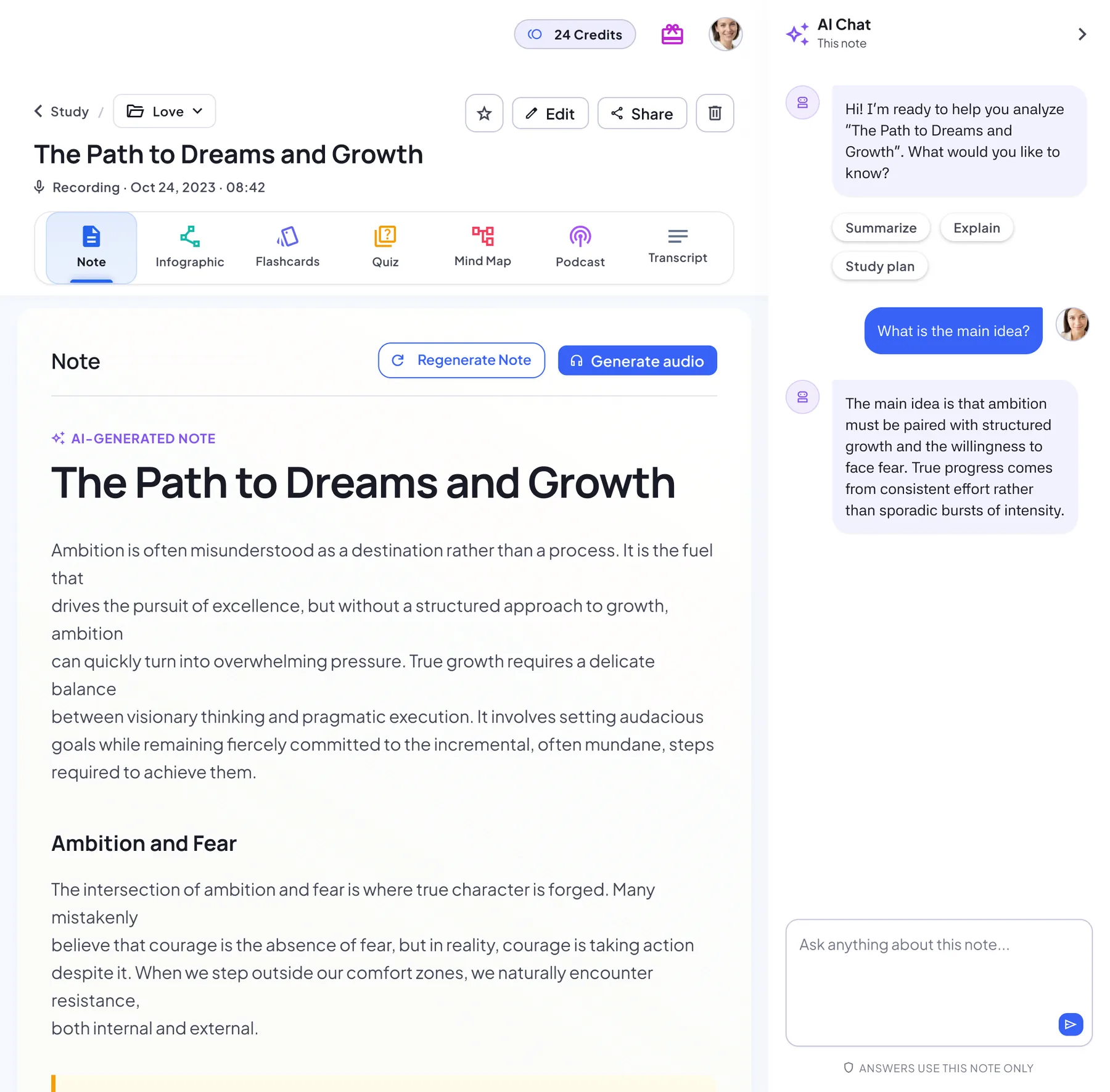
A structured note with headings, key points and key takeaways. Regenerate it anytime.
Transcript
The original text next to its source: the audio player, the document, the web link or your images in order.
Flashcards
A deck built from the key concepts. Flip through it card by card, then restart.
Quiz
Multiple-choice questions with an explanation for every answer, a score and a full review.
Mind map
The structure of the note as a map you can zoom, pan and download.
Infographic
A one-page visual summary poster you can download or share.
Podcast
A two-host audio overview of the note, for revision on the go.
AI Chat
Ask follow-up questions and get answers based on your note.
How to record for clear minutes and summaries
Tap Record and speak; the mobile app shows a live transcript
Start recording in the browser or the app. In the browser, allow microphone access and keep the tab open.
Pause during breaks and resume when you're ready
Pause during breaks. The timer shows how long you've recorded, up to 150 minutes.
Finish to generate the note, summary and full transcript
Finish, then select Create from recording. You get the transcript and an AI note, then flashcards, a quiz and more.
Recording tips and best practices
- Record in a quiet place with the mic facing speakers
- Place the phone centrally for group meetings
- Use Pause when environment is noisy
Notes & limits
- Recording stops automatically at the time limit
- Transcript quality depends on noise level
Recording FAQ
Do you support multiple speakers?
Everyone in the recording is transcribed, but speakers aren't labeled separately.
Can I lock the screen while recording?
In the browser, keep the recording tab open until you finish. If a recording is interrupted, it's saved on your device so you can still turn it into a note.
How long can a recording be?
Currently up to 150 minutes. Recording stops automatically at the limit, and you can create the note from what was captured. Record at least 30 seconds for a useful note.
Does the browser show a live transcript?
No. The live transcript is in the mobile app. In the browser, the full transcript appears in the note after you finish.
What happens if my browser closes mid-recording?
The recording made so far is saved on your device. The next time you open the record dialog, NoteLyn offers to continue and create the note from it.
Is recording free?
Yes, you can start for free in your browser or in the mobile app. Some features need a subscription: podcasts, for example, are a Pro feature and use credits based on their length, charged only if generation succeeds.
Related tools in Note Workspace
Learn more on the NoteLyn blog
Step-by-step guides that go deeper into this way of capturing notes.
- Voice Note: What It Is and How to Turn Recordings Into Notes You Actually UseRead the guide
- Lecture Recorder: The Complete Student Workflow from Capture to ExamRead the guide
- Voice Recorder AI Note Taking Free: What Actually Works in 2026Read the guide
- Best Voice Recorder with Transcription: 5 Apps Compared for 2026Read the guide