
Features
Explore AI note‑taking, transcription, summaries, flashcards, quizzes and more — everything that builds your learning loop.
How NoteLyn works
Bring anything in, let AI organize it, then study it the way that works for you.
 1
1Capture
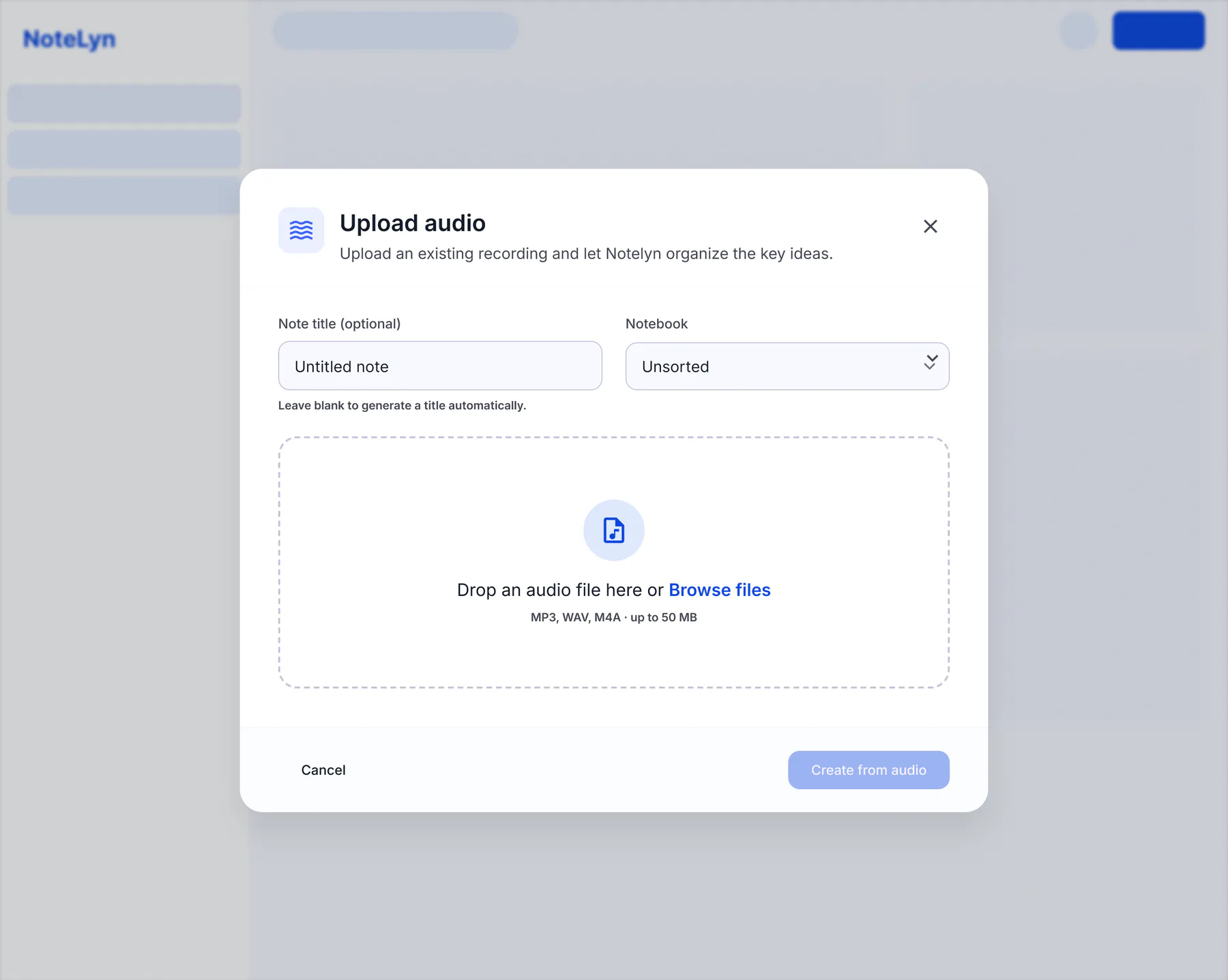
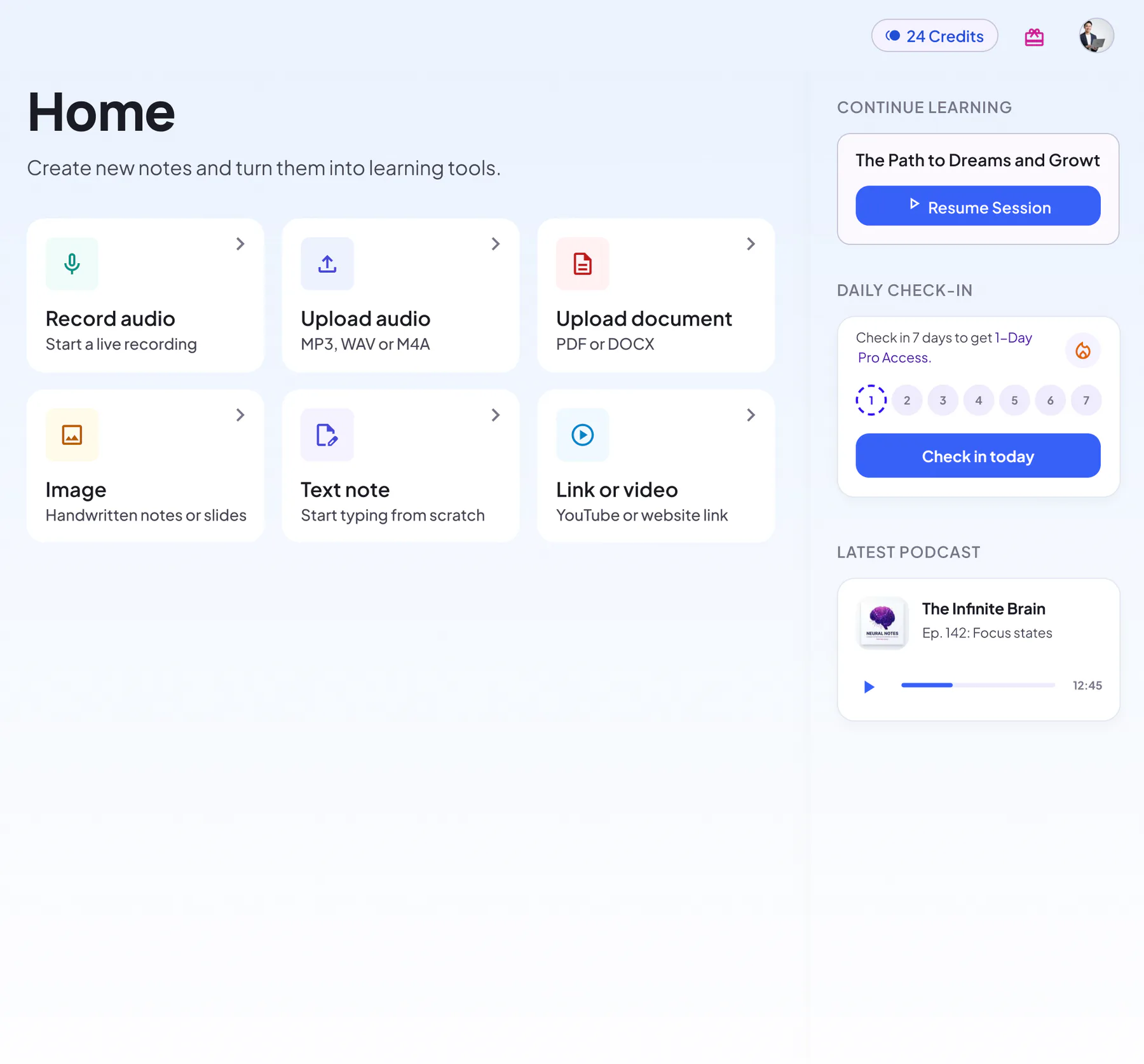
Record live, upload audio or a PDF, add photos, paste a link or type — six ways in.
 2
2AI organizes
Get a structured note with headings, key points and highlights, plus the full transcript.
 3
3Study & review
Turn the same note into flashcards, quizzes, a mind map, an infographic or a podcast.
Everything NoteLyn can do
Six ways to capture, seven study formats in every note, and an assistant that knows your notes.
Capture sources
Six ways to bring content in
Study formats
Seven formats in every note, plus minutes for meetings
- AI notesHeadings, key points, highlights
- InfographicOne-page visual summary
- FlashcardsFlip, track progress, regenerate
- QuizzesInstant feedback, explanations
- Mind mapSee how ideas connect
- PodcastTwo-host audio episode
- TranscriptThe full original text
- Minutes & action itemsFrom meeting recordings: key points and takeaways
Assist & organize
AI Chat, notebooks and sync
- AI ChatAsk questions about your note
- Notebooks & favoritesKeep subjects tidy
- Share & exportShare links, download images
- Web, iOS & AndroidSynced across devices
A closer look
Product screens, one feature at a time.
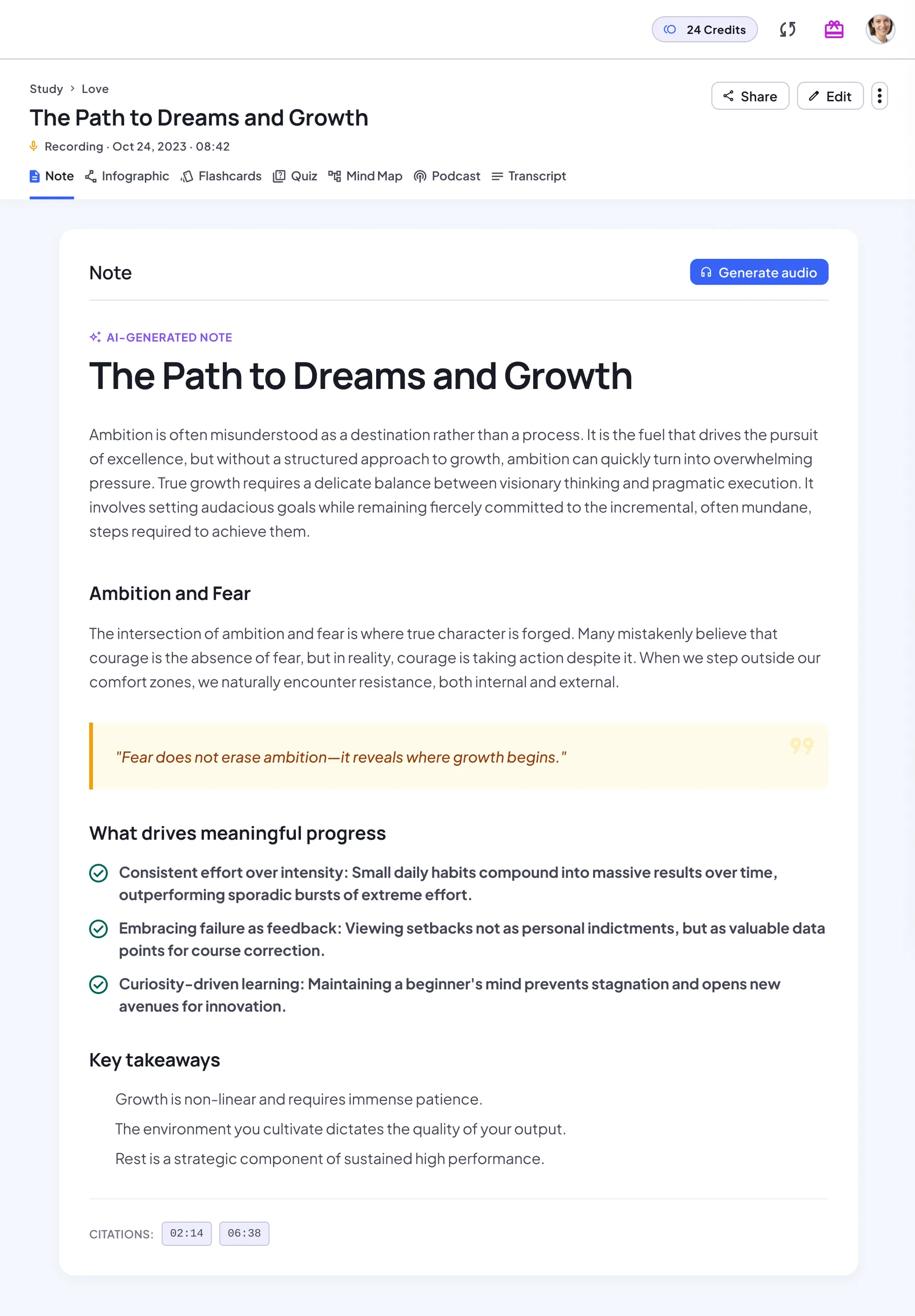
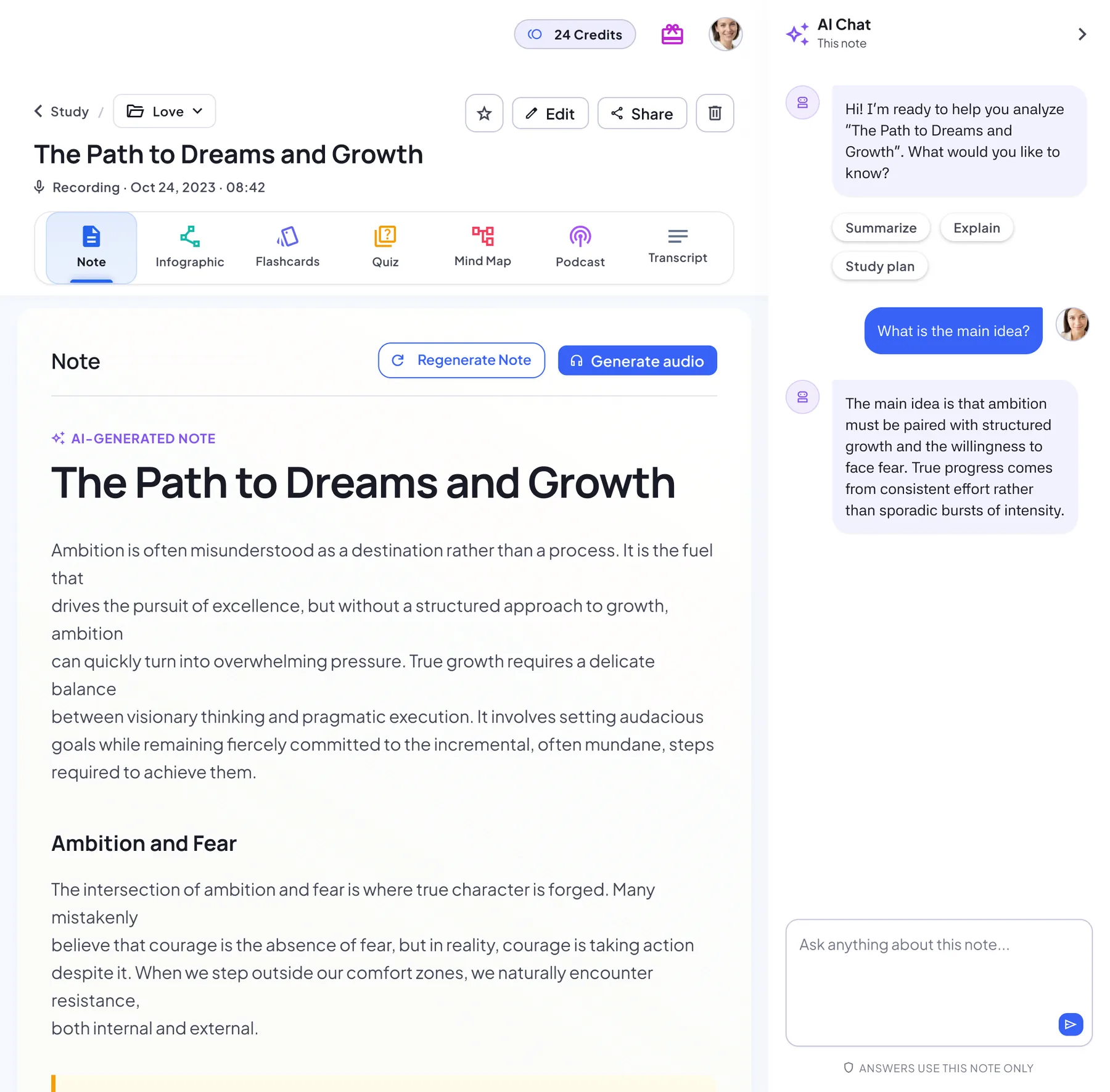
Structured notes in seconds
Every recording, PDF or link becomes a clean note with headings, key points and highlighted quotes.
- Headings, key points and takeaways
- Edit the note in a rich text editor
- Listen to your note as audio narration
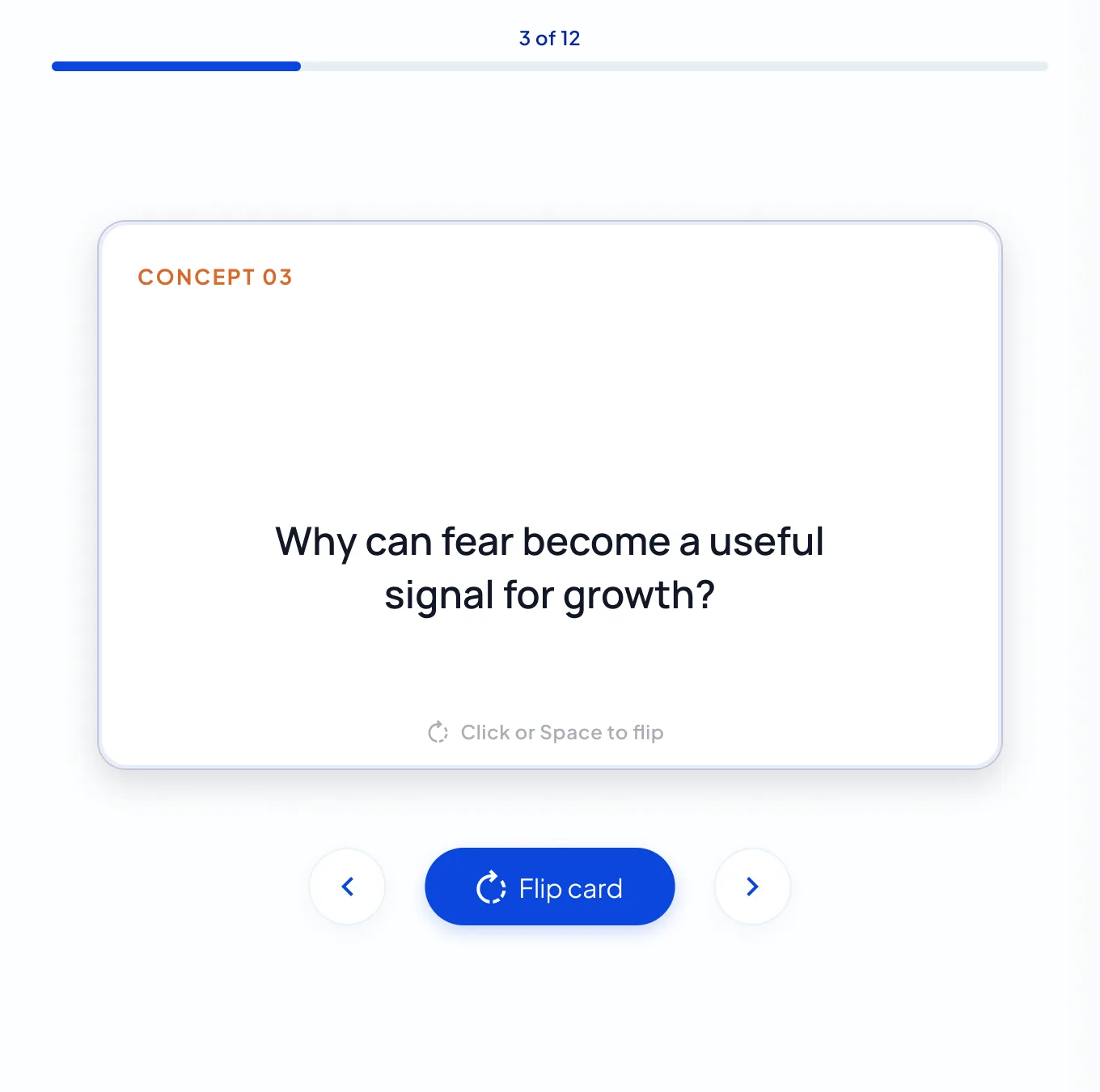
Flashcards that write themselves
Key concepts from your note become flip cards. Work through the deck card by card, and regenerate it any time.
- Generated from your own material
- Flip, regenerate or restart the deck
- See your progress through the deck
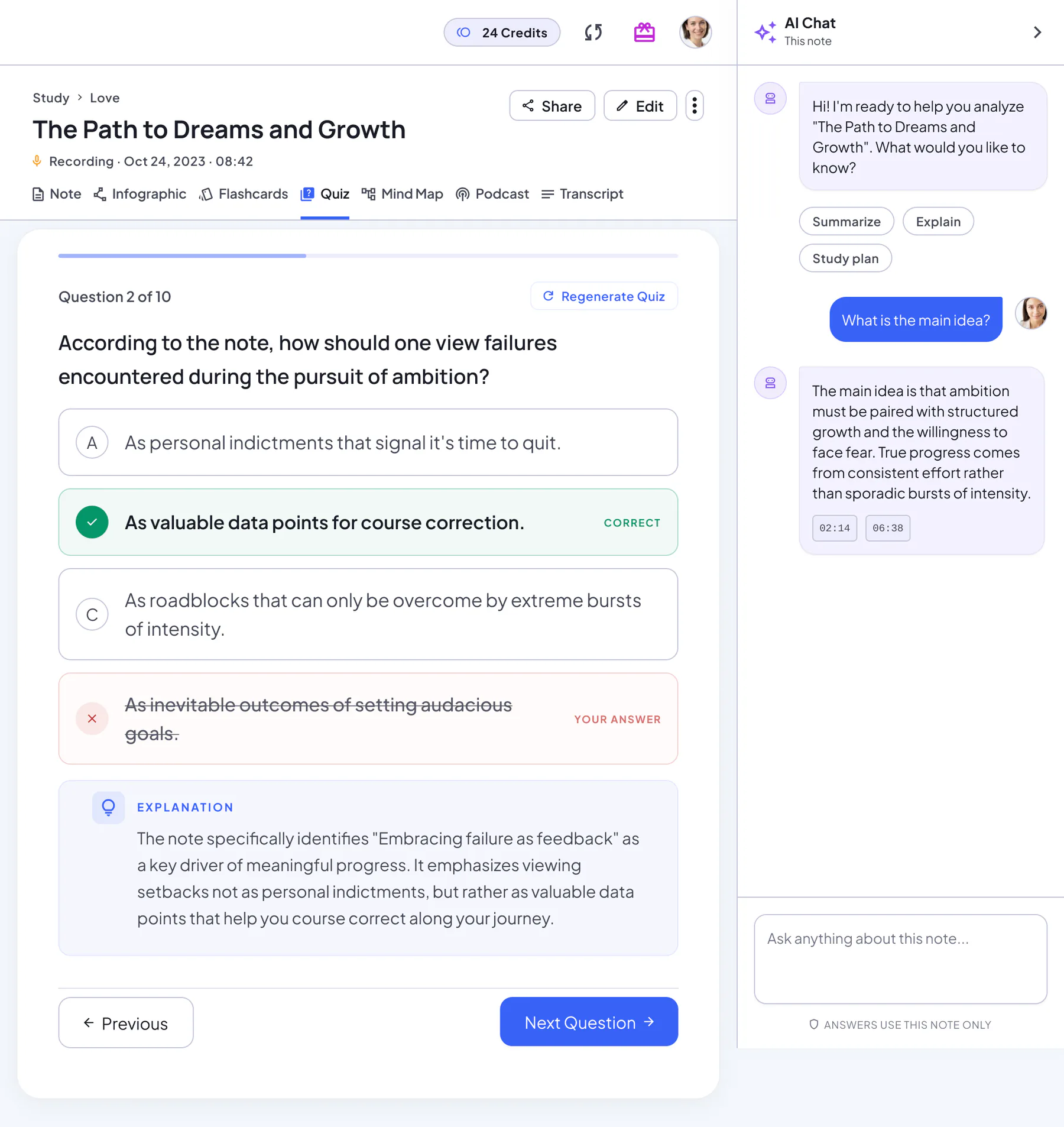
Check what you really know
Multiple-choice questions with instant feedback and an explanation for every answer.
- Instant right / wrong feedback
- Explanations drawn from your note
- Review every question, then restart any time
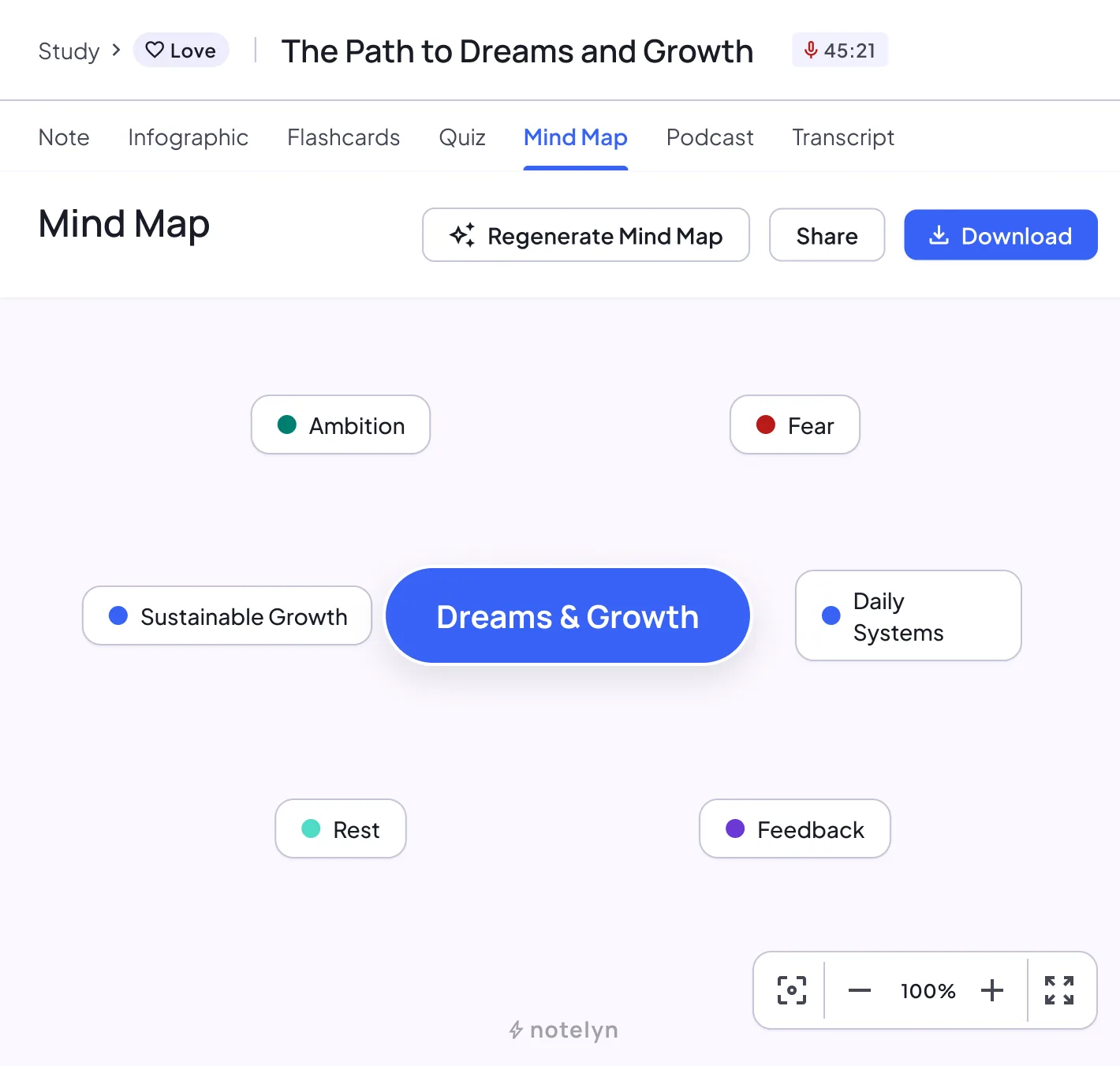
See how ideas connect
A mind map of the whole note, with a branch for every key idea.
- Built automatically from the note
- Zoom and pan freely
- Share or download it as an image
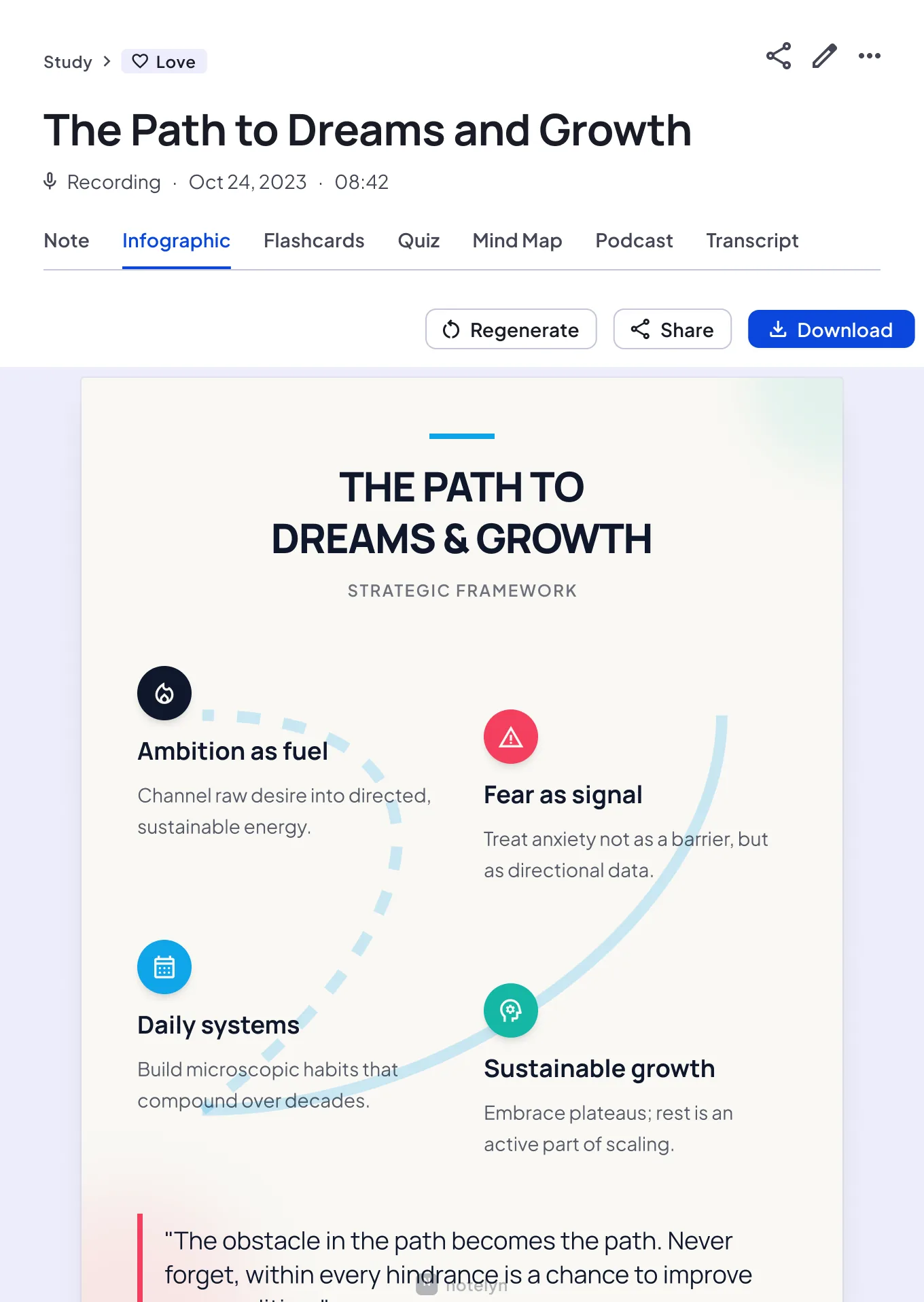
One-page visual summary
Turn a long lecture into a poster you can review at a glance or share.
- Key ideas laid out on one page
- Preview, share and download
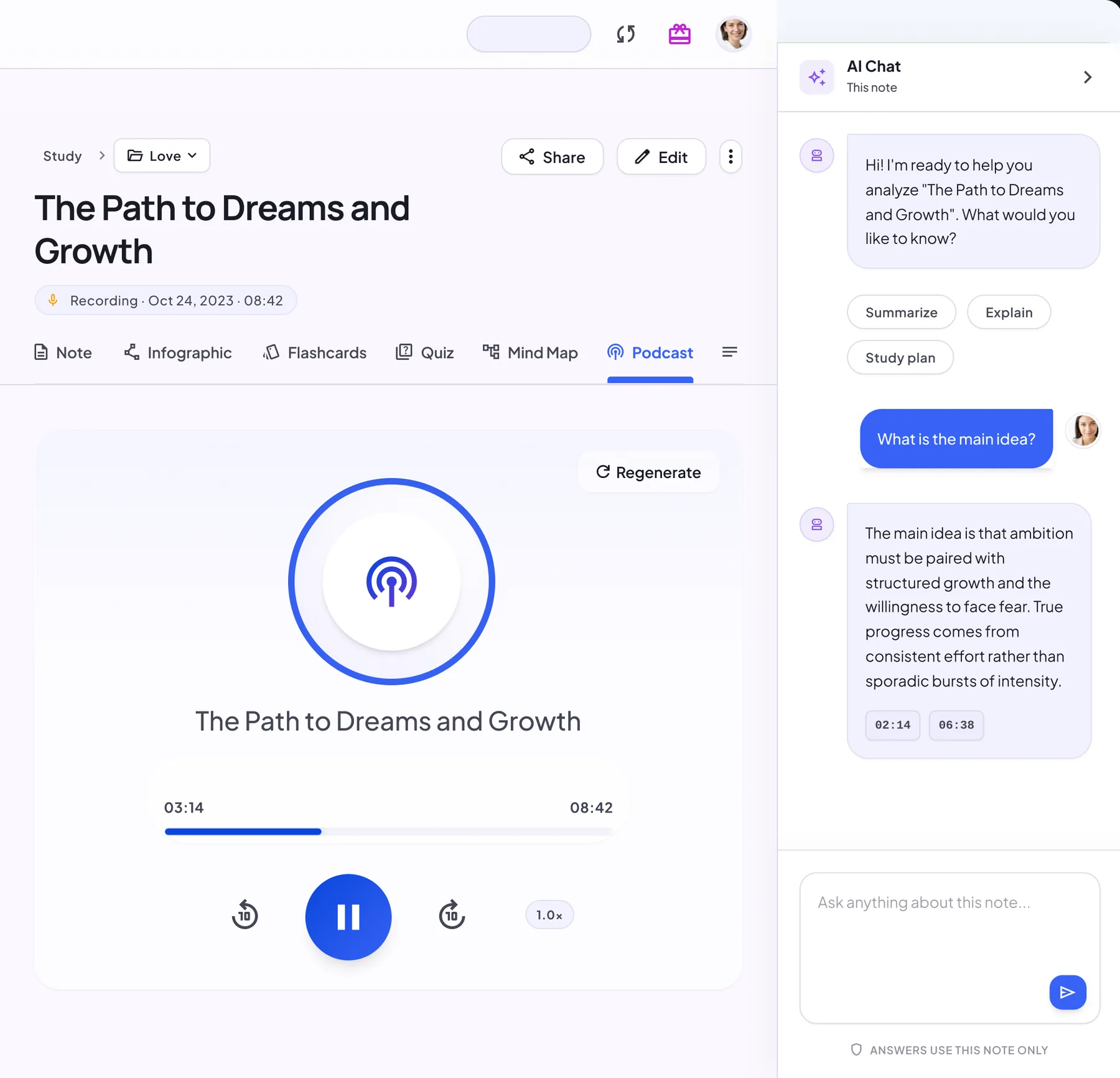
Listen on the go
Generate a podcast-style episode from any note and pick the voices you like.
- Two hosts — choose their voices and language
- Player with 10-second skip and speed control
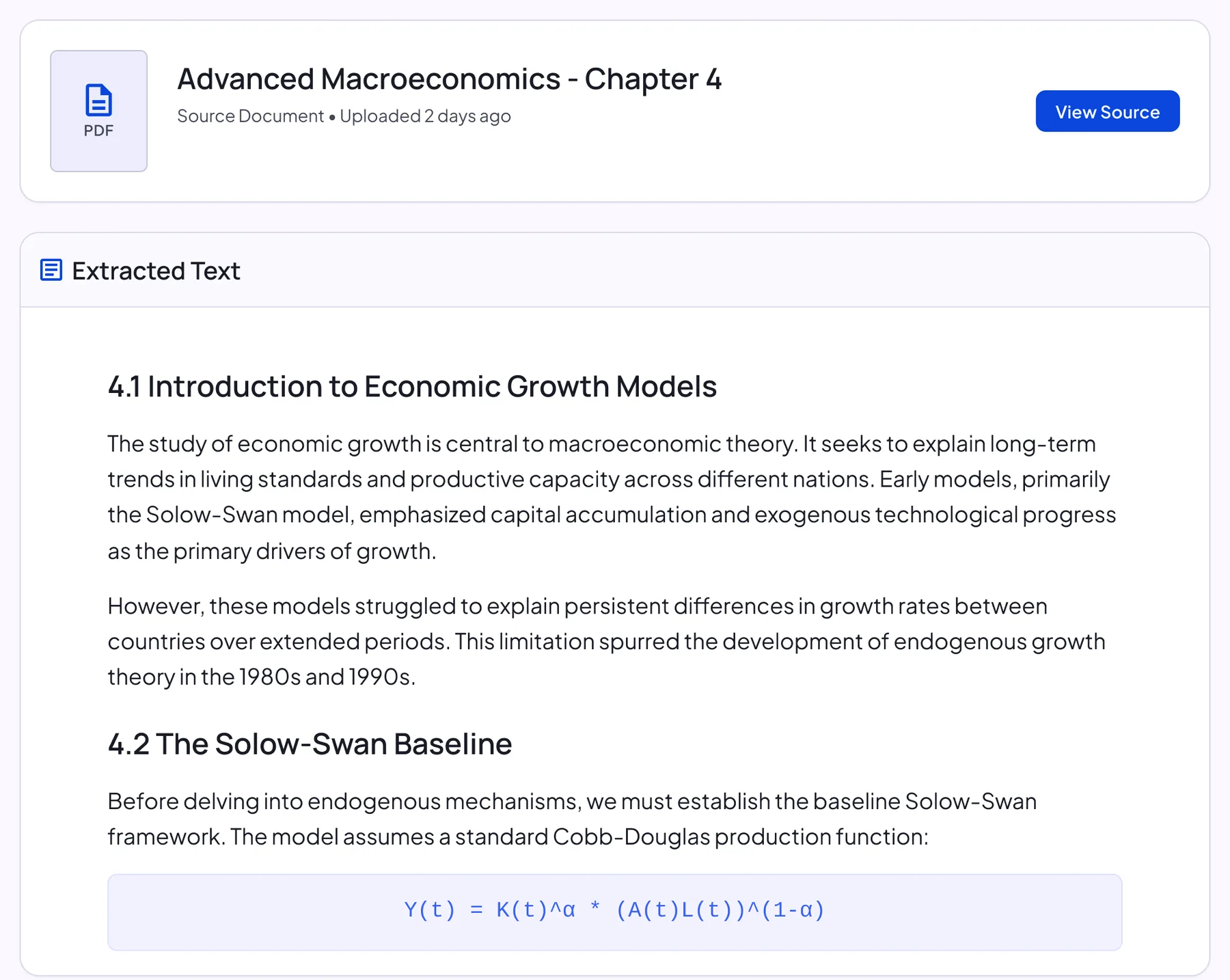
The full source, always there
Every note keeps its original transcript or extracted text, so you can check any detail.
- Audio, video, image, text and document sources
- Replay the recording or open the original file
Ask your notes anything
An assistant beside every note answers questions and explains concepts, with quick prompts to get you started.
- Answers use only this note
- Quick prompts to summarize or explain
More in every note
Three features people often miss.
Summarize a whole notebook
Combine every note in a notebook into one summary note, handy before an exam or a project review.
- Start it from the notebook view
- Shows how many notes are included
- Prompts you to update it after you add notes
Listen to any note
Generate an audio narration of the note itself, separate from the two-host podcast.
- Made from the note you're reading
- Play, pause and skip 10 seconds
- Change the playback speed
Review every quiz answer
When you finish a quiz, see how many you got right, then go back through each question.
- Correct and incorrect counts
- Your answer, the right answer and the explanation
- Ask AI Chat about anything unclear, or restart the quiz
Multi‑Source Input
Capture knowledge from text, voice, audio, PDFs, links and images.
- Rich text editor for typing or pasting notes
- High‑quality recording with a full transcript
- Audio upload in MP3, WAV, M4A, AAC or OGG
- Smart PDF parsing (titles, sections)
- Web/video link extraction
- OCR for images (multi‑language)
- Import PDFs, audio and links
- Up to 9 images in one note
AI Processing
Automatically organize, summarize and structure your notes.
- Key point extraction and outline
- Multi‑level headings and highlights
- AI Chat that explains concepts from your note
- Full transcript kept with every note
- Action items and decisions extraction
- Auto‑generated minutes and summaries
Learning Loop
Turn notes into flashcards and quizzes to test yourself.
- Auto‑generated flashcards
- Multiple‑choice quizzes with explanations
- Review every question after a quiz
- Study at your own pace and restart any time
Personalization
Adapt to your content type and learning style.
- Notebooks you can create, rename and reorder
- Favorites for the notes you use most
- Choose podcast voices and language
Sync & Devices
Cloud sync and cross‑device continuity.
- Web, iOS & Android support
- Secure cloud storage
- Unfinished recordings saved for recovery
Quality & Reliability
Fast, stable and privacy‑minded architecture.
- Modern mobile stack
- Data protection and security
- Privacy‑first design and data deletion
Formats and limits at a glance
What you can bring into a note today.
| Source | Supported | Good to know |
|---|---|---|
| Audio files | MP3, WAV, M4A, AAC, OGG | The maximum file size and length are shown in the upload dialog. |
| Documents | PDF, DOC, DOCX | Headings and sections are kept in the note. |
| Images | Photos, screenshots, handwriting, slides | Up to 9 images per note. |
| Links | Public web pages and YouTube videos | Captions are used when a video has them. |
| Recording | Web app, iOS and Android | Live transcript while recording in the mobile app. |
| Text | Type or paste | Rich text with headings, lists and to-dos. |
Each note is built from one source. To combine a recording with its slides, create two notes and keep them in the same notebook.
Credits and plans, simply
What's free, what Pro adds, and what uses credits.
Free to start
New accounts get free AI notes, with no card required, so you can try NoteLyn on your own content.
Pro
Unlimited AI notes from recordings, PDFs, images and links. Several plans are available, and some include a free trial.
Podcast credits
Podcasts are a Pro feature. Episodes use credits based on their length, charged only if generation succeeds. Pro plans include podcast credits each billing period, and top-up credits stay until you use them.
Why NoteLyn
Who it's for
Students & Learners
Turn lectures and reading into clear notes, flashcards and quizzes.
Professionals & Teams
Go from meetings to minutes and action items in minutes.
Researchers
Import PDFs and links, extract key points and build understanding.
Security & Privacy
- Notes are private by default
- Delete account = delete all data
- We don't train third‑party models with your data
Feature FAQ
Do features differ by plan?
New accounts include free AI notes to get started, and Pro removes the note limit. Podcasts are a Pro feature that uses credits, and Pro plans include podcast credits each billing period.
Do I need internet for all features?
Yes. Creating notes and all AI features need an internet connection. If a recording is interrupted, it stays saved on your device so you can still turn it into a note once you're back online.
Which file types can I upload?
Audio in MP3, WAV, M4A, AAC or OGG; documents in PDF, DOC or DOCX; up to 9 images per note; and links to public web pages or YouTube videos. The maximum file size and length are shown in the upload dialog.
Does AI Chat use information outside my note?
No. AI Chat answers using only the note you have open, so you can check every answer against your own material.
Can I edit or regenerate a note?
Yes. Open the note in the rich text editor to change anything, or regenerate the whole note. Flashcards, quizzes and infographics each have their own Regenerate button too.
Can people without an account open my shared note?
Yes. A shared link opens a read-only copy of the note in the browser, with no sign-in needed. Nobody else can edit your note.
Which languages are supported?
Transcription and OCR work with many languages, and you can choose the language of a podcast. The website is available in 12 languages.
Do features work the same on web and mobile?
Mostly. Notes, study tools and AI Chat work the same everywhere and stay in sync. The live transcript while you record is available in the mobile app; in the web app, the transcript appears once the note is created.
Explore more
Learn more on the blog
Guides for getting more out of each feature.
- AI notes5 Best AI Notes Generator Apps in 2025
- FlashcardsBest Alternative to Quizlet in 2026 for Students
- Mind mapsMind Map Examples: Templates for Students and Work
- PodcastBest AI Podcast Generator for Turning Study Notes into Audio in 2026
- Study guidesAI Study Guide Maker: How to Build Study Guides Automatically
Ready to try the features?
Scan to download or get it on the store.
No download needed — works in any browser
Scan to download