
Podcast capabilities
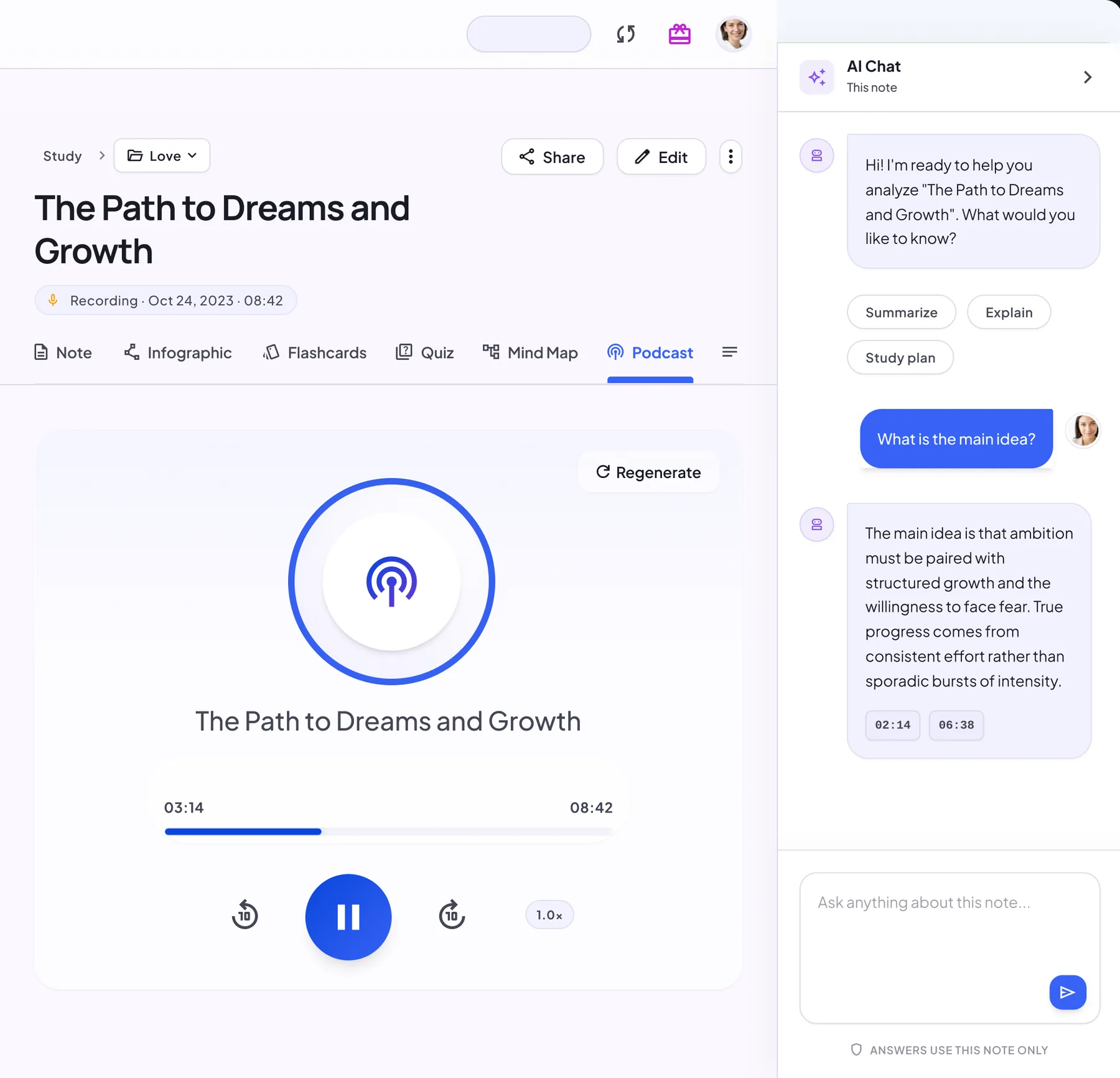
- Turn notes into an audio episode
- Choose two voices and the episode language
- Listen in the note or share it by link
Your notes as a real conversation
A NoteLyn podcast isn’t your note read aloud. Two AI hosts talk it through, the way a good study partner would explain it.
Two hosts, one episode
The hosts trade questions and explanations, so key ideas come up more than once.
Pick the voices
Choose each host’s voice from 10+ natural voices and preview them before you start.
Choose the language
Pick the episode language from the list before you generate.
Made for listening on the go
The player skips back or forward 10 seconds and changes playback speed. Your latest episode also appears on Home.
Three steps in the background
NoteLyn prepares the voices, writes the conversation script, then turns it into audio. You can leave the page meanwhile.
Sample script
A few example lines from an episode about a lecture note on photosynthesis:
Example
- Host A
Today’s note is about photosynthesis. Before the details: why should anyone care?
- Host B
Because nearly all the energy in your food started as sunlight that a plant captured.
- Host A
And the note splits it into two stages, right?
- Host B
Right. The light-dependent reactions make ATP and NADPH, then the Calvin cycle uses them to build sugar from carbon dioxide.
- Host A
So stage one charges the batteries and stage two spends them.
- Host B
Exactly, and that’s a handy way to remember it for the exam.
When to create a podcast
- Commute and gym study
- Review notes before meetings
- Audio learning for memorization
How to turn notes into audio
- Select a note or summary
- Choose the voices and the language
- Generate and listen, or share the note
Podcast tips
- Create shorter episodes by topic
- Adjust speed for comfort
- Use language that matches your source
Notes & limits
- Generation time varies with length
- Podcasts are a Pro feature and use credits
Podcast vs audio narration
There are two ways to listen to a note. They live in different tabs and do different jobs.
| Podcast | Audio narration | |
|---|---|---|
| Where | Podcast tab | Note tab, Generate audio |
| What you hear | Two AI hosts discussing the note | One voice reading the note |
| Setup | Pick both voices and the language | One click, no setup |
| Generation time | Depends on length; runs in the background | Usually less than a minute |
| Credits | Pro feature that uses podcast credits | Doesn’t use podcast credits |
Credits, simply explained
See an estimate first
Before you start, the podcast credits card shows an estimate for this note.
Charged only if it succeeds
If generation fails, no credits are used. The final amount is shown after generating.
Where credits come from
Pro plans include podcast credits each billing period, and top-up credits stay until you use them.
Podcast FAQ
Can I listen offline?
Not yet. Podcasts play in the note while you're online.
Which languages are supported?
Multiple voices and languages are available; options may vary by plan.
How long does it take?
It depends on the length of the note. You can leave the page while it generates; the episode appears in the Podcast tab when it’s ready.
Can I listen on my phone?
Yes. Open the note in the NoteLyn app for iOS or Android, or in your phone’s browser.
Can I change the voices after generating?
Choose Regenerate, pick new voices or another language and create the episode again. A new episode uses credits again.