
Note Workspace
Analytics
Quiz scores, flashcard progress and an easy way to pick up where you left off.
Analytics capabilities
- Correct and incorrect count after every quiz
- Card‑by‑card progress in flashcards
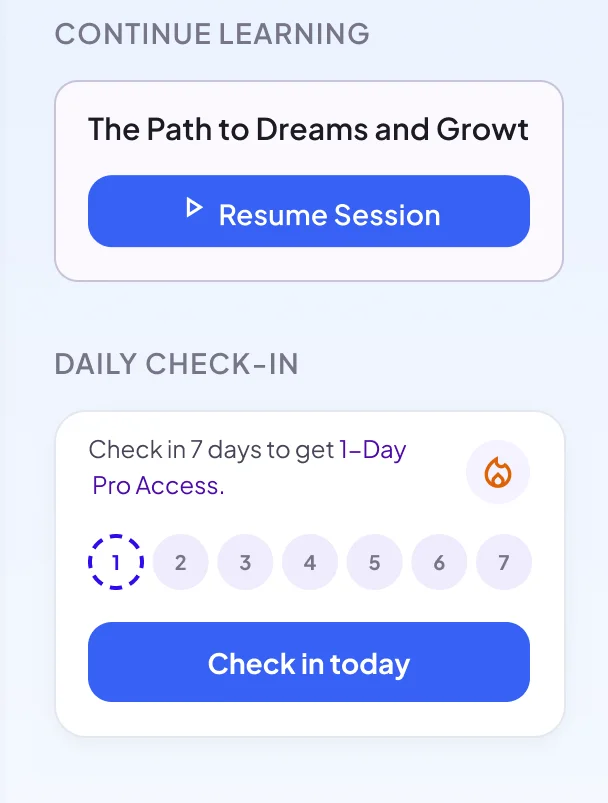
- Continue learning from Home
What learning progress NoteLyn shows today
There’s no long-term analytics dashboard yet. Your progress shows up where you study:
Quiz score
After each quiz, a score ring shows how many questions you got right.
Review All Questions
Correct and incorrect counts, with every question and its explanation.
Place in the deck
A counter such as 3 of 12 shows where you are in a flashcard deck.
Continue Learning
Home shows the note you studied last, so you can resume in one click.
Daily Check-in
Check in on Home each day and fill in a 7-day row.
When to look at analytics
- Build a daily habit with check‑ins
- Spot the questions you got wrong
- Pick up the note you were studying last
How to use analytics
- Finish a quiz to see your score
- Open Review All Questions to see what you missed
- Restart the quiz or deck to practice again
Analytics tips
- Check in daily on Home
- Ask AI Chat about any question you missed
- Pair with flashcards/quizzes to reinforce
Notes & limits
- Scores are per quiz; there's no long‑term dashboard yet
- Restarting a quiz starts a fresh attempt
Analytics FAQ
Which metrics are tracked?
Your score on each quiz (correct and incorrect answers) and your place in each flashcard deck. There's no long‑term analytics dashboard yet.
Can I export analytics?
No. You can share a note with a link, including its quiz and flashcards.
Is there a long-term dashboard?
Not yet. NoteLyn doesn’t track study time or mastery over weeks. Scores are kept per quiz and progress per flashcard deck.