
Note Workspace
Quizzes
Multiple‑choice questions to test understanding.
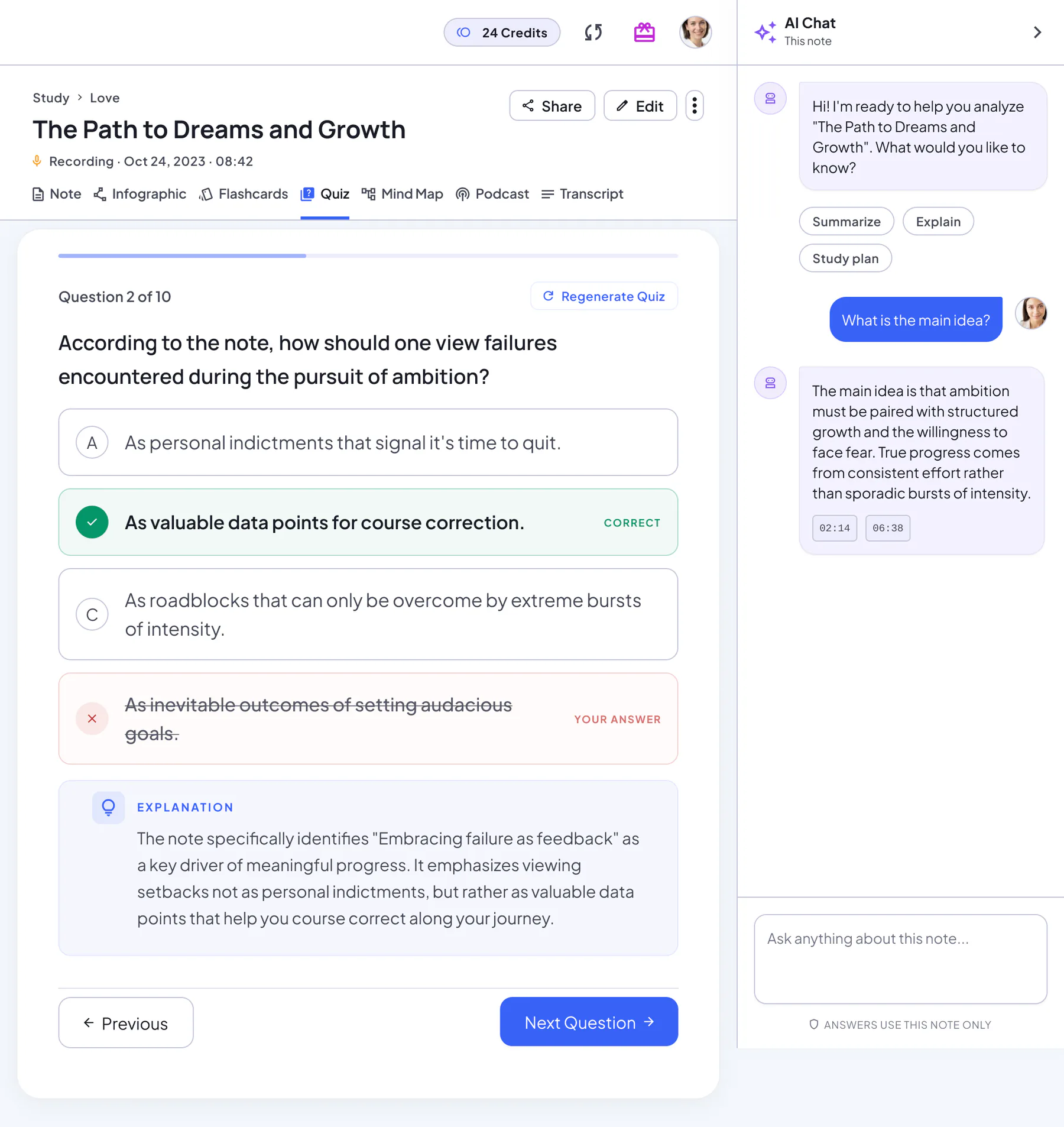
Quiz capabilities
- Multiple‑choice questions
- Immediate feedback
- Review all questions at the end
Sample question
An example question from a quiz on a history lecture note:
Example
Why did the printing press spread ideas faster in 15th-century Europe?
- Books no longer needed paper
- Copies could be made quickly and cheaplyCorrect
- Only monks were allowed to print
- It replaced spoken sermons
Explanation
The note explains that movable type cut the time and cost of copying, so the same text could reach far more readers.
After you finish
Your score
A score ring shows how many questions you got right, with a “Quiz Completed!” message.
Review All Questions
See your correct and incorrect counts, then go through every question with its explanation.
Still unsure? Ask AI Chat
Jump from an explanation to AI Chat and ask about the question you missed.
Go again
Restart Quiz for another try at the same questions, or Regenerate Quiz for a fresh set.
When to take quizzes
- Self‑testing before exams
- Quick checks after lectures
- Team training or onboarding
How to practice with quizzes
- Generate a quiz from notes
- Answer and review explanations
- Review all questions and restart if needed
Quiz tips
- Read every explanation, even when you're right
- Review errors within 24 hours
- Alternate between flashcards and quizzes
Notes & limits
- Auto‑generated items may need refining
- Some nuanced topics require manual review
Quiz or flashcards?
| Quiz | Flashcards | |
|---|---|---|
| What it trains | Recognizing the right answer and reasoning about it | Recalling an answer from memory |
| Format | Multiple choice with four options and an explanation | A question on the front, the answer on the back |
| When to use it | To check your understanding after a first review | Early on, to learn key terms and facts |
| Afterwards | Review All Questions, then restart | Restart study to go through the deck again |
Quizzes FAQ
Can I customize quiz difficulty?
Not yet. You can regenerate the quiz for a fresh set of questions.
Can I export quizzes?
Not as a file. You can share the note with a link, and the quiz comes with it.
What question types are there?
Right now every question is multiple choice with four options and one correct answer, followed by an explanation.
Can I retake only the questions I missed?
Not yet. Use Review All Questions to see what you got wrong, then restart the full quiz.
Can classmates take my quiz?
Yes. Share the note with a link; anyone who opens it can take the quiz you’ve generated without signing in.