
Use Cases
Lectures
Focus on listening — we build the notes.
Key benefits
- Record lecture audio or import slides (PDF)
- AI builds a structured outline with highlights
- Generate flashcards and quizzes to reinforce
Typical flow
- Capture audio/slides and let AI process
- Review structured notes and key concepts
- Practice with flashcards and quizzes
NoteLyn builds a structured outline with headings, highlights and key terms so you can focus on understanding in class. The original recording or slides stay one tab away, so you can check any point quickly.
Turn concepts into flashcards and quizzes in one tap to reinforce memory. Use Q&A to clarify tricky parts and mind maps to visualize relationships between topics.
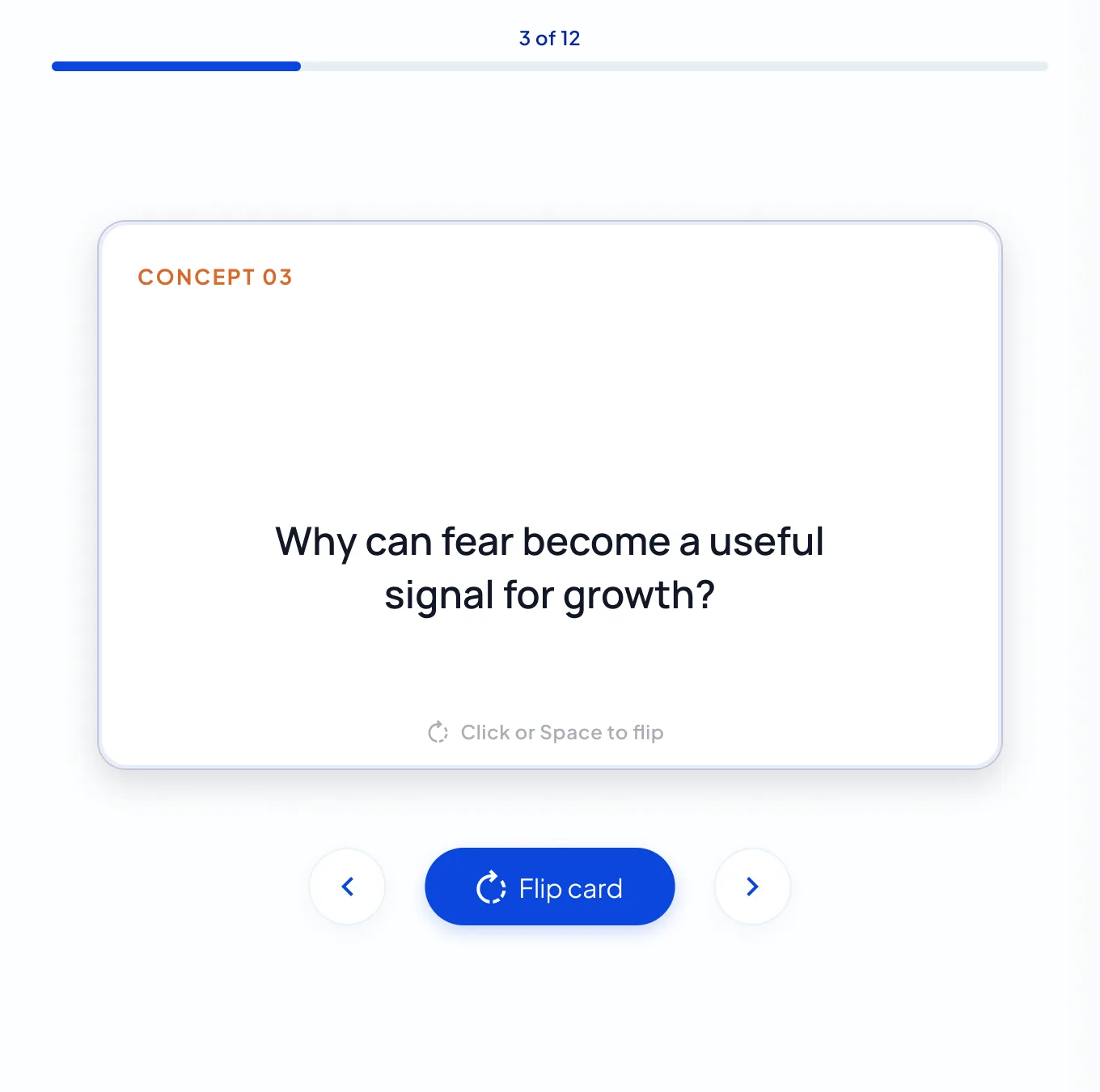
Share summaries with classmates by link or turn notes into a podcast to study on the go. Quiz results show how many questions you got right, and the flashcard counter shows how far you are through the deck.
After each quiz, review every question with its explanation, and ask AI Chat about anything you missed.
Ingest PDFs, links and video lectures; captions are extracted when available so you can learn faster with unified notes.
Accessible learning: listen to an audio narration of any note, or a two‑host podcast with the voices you choose, at the speed you like.
What you get from one lecture
Record a class once and NoteLyn builds seven ways to study it, all inside the same note.
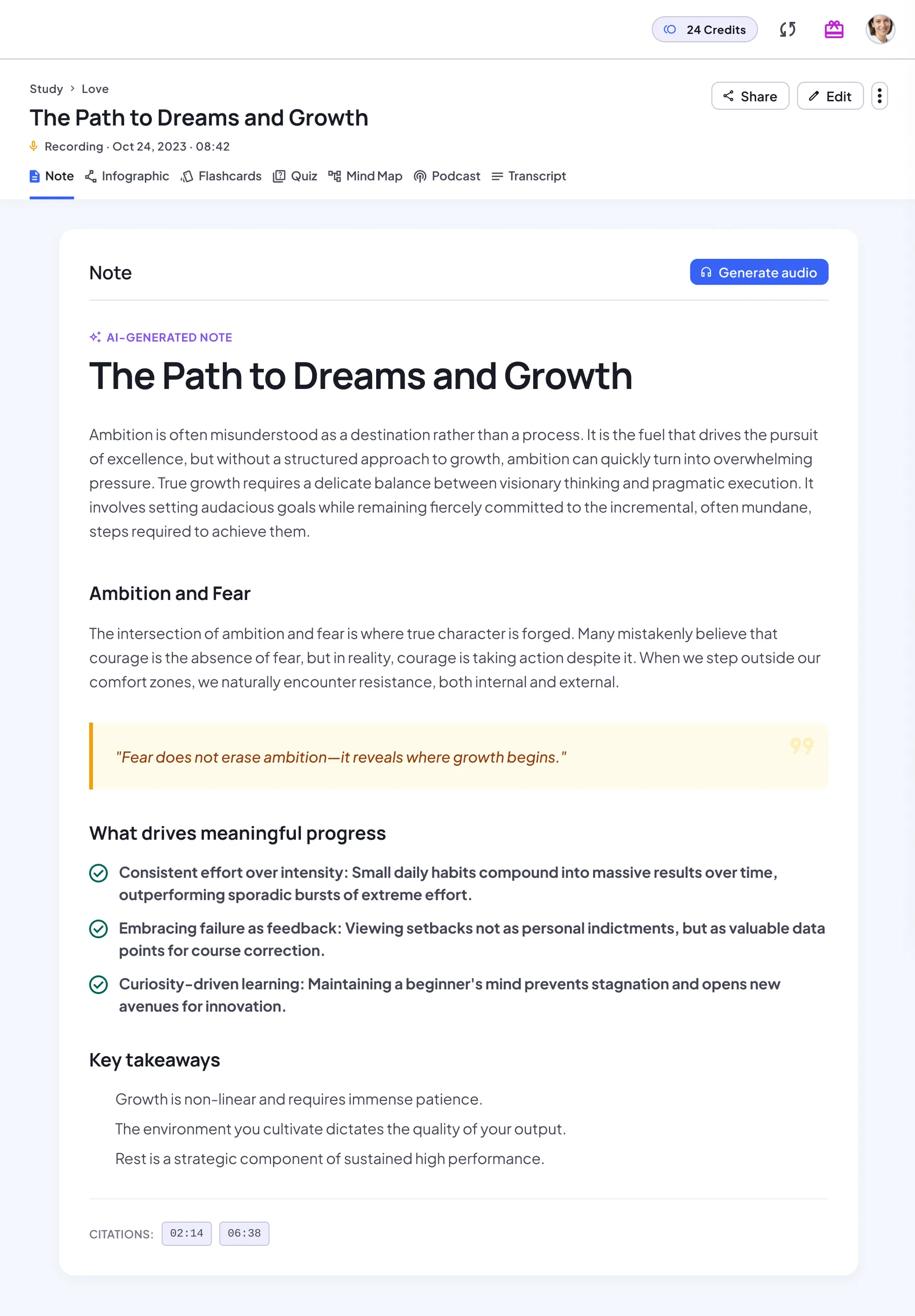
Structured note
Headings, key points, highlighted quotes and key takeaways. For recordings, the full transcript stays in the Transcript tab, so you can check exactly what was said.
Flashcards
Key concepts and definitions become flip cards. Work through the deck card by card, see your progress, and restart or regenerate it any time.
Quiz
Multiple-choice questions with instant feedback and an explanation for every answer. When you finish, review every question.
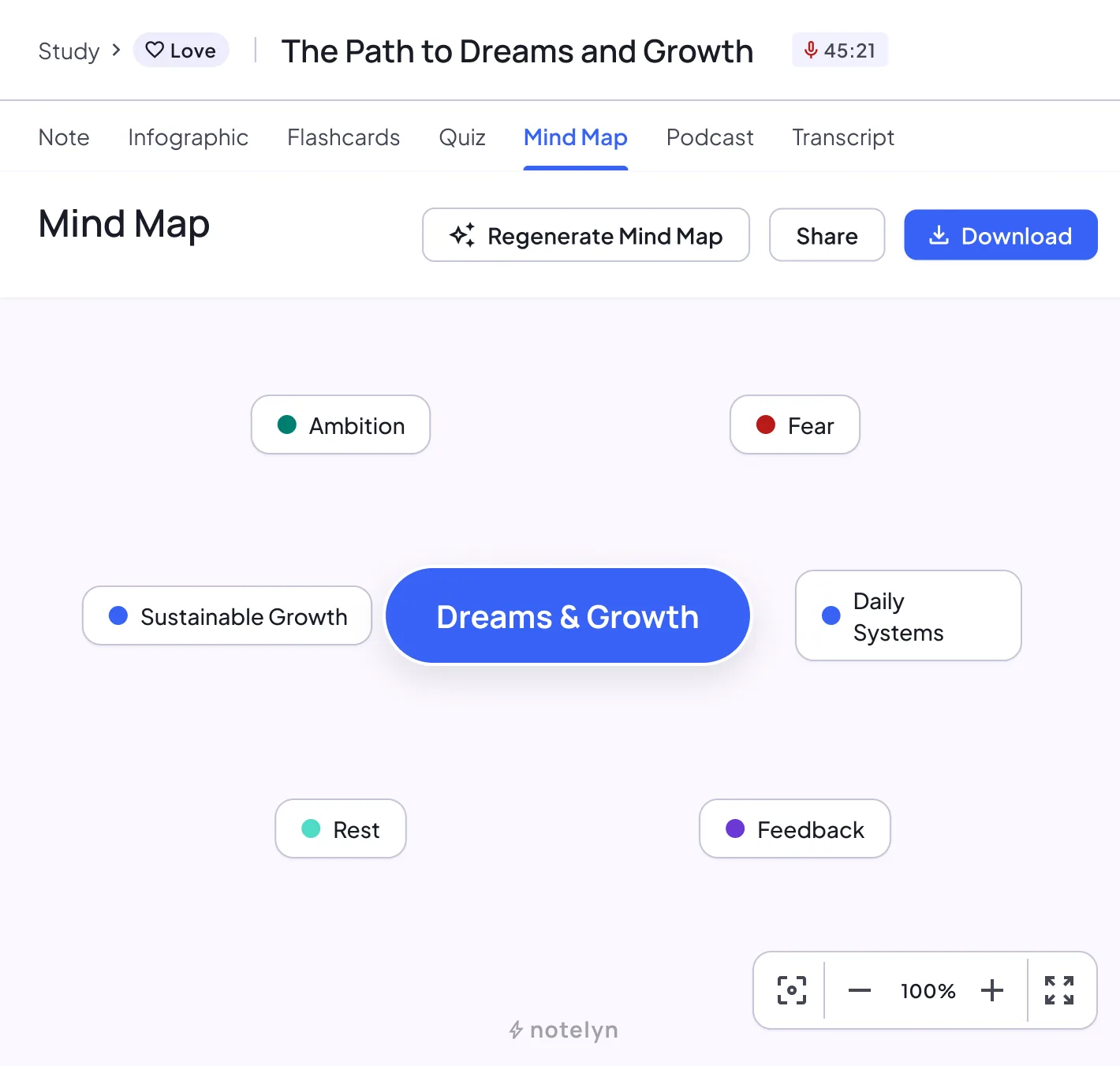
Mind map
The whole lecture as a map of connected ideas. Zoom, pan and download it as an image.
Infographic
A one-page visual summary to skim before an exam or share with your study group.
Podcast
A two-host audio episode about the lecture. Pick the voices and language, then listen with speed control and 10-second skips.
Transcript
The full original text stays one tab away, so you can check exactly what the lecturer said.
How to turn a lecture into study notes
A routine that takes a few minutes after each class and pays off at exam time.
Record live or upload the recording
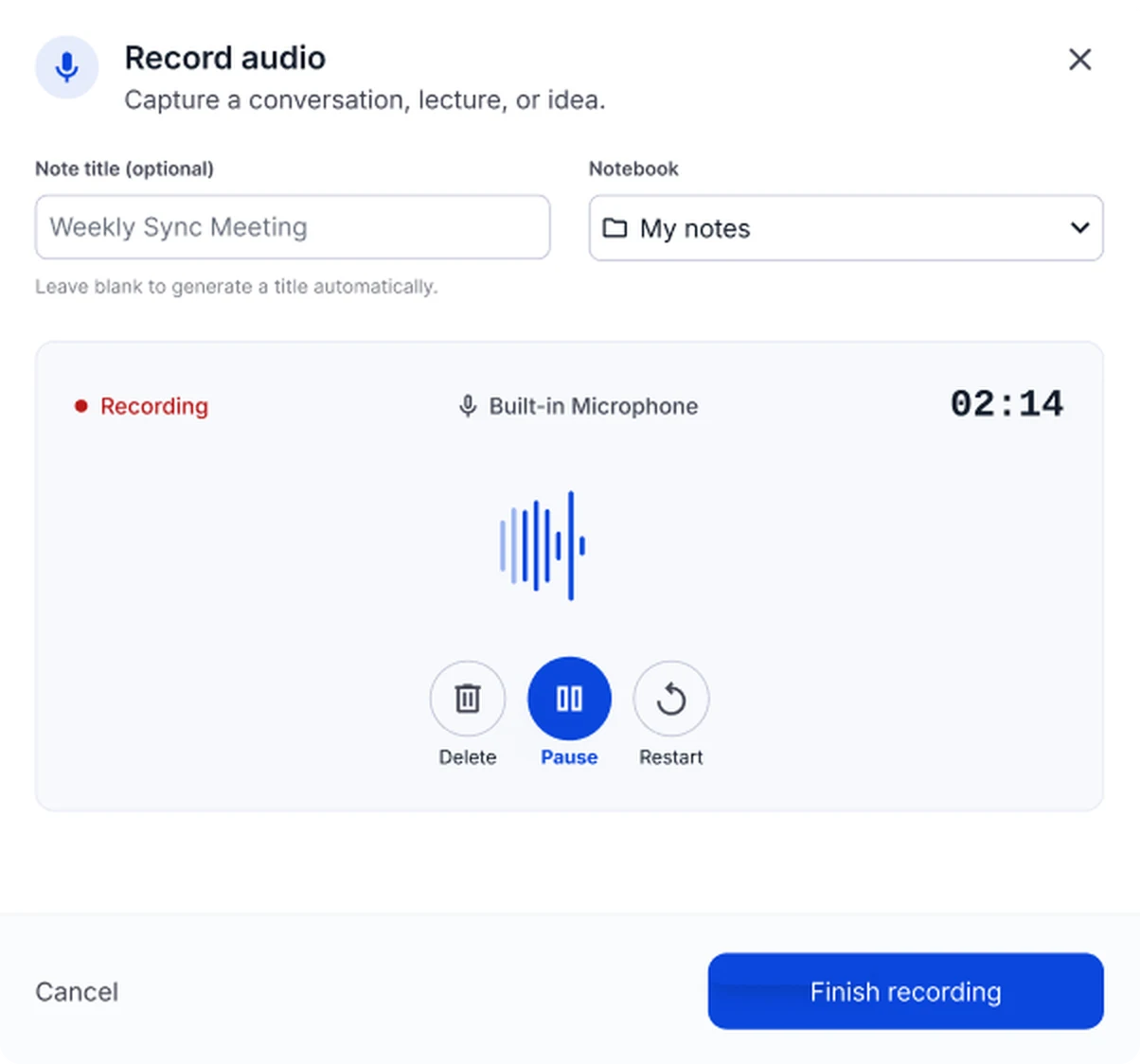
Tap Record at the start of class, or upload a file afterwards in MP3, WAV, M4A, AAC or OGG. For an online class, paste the YouTube link instead. The mobile app shows a live transcript while you record.
Pick a notebook for the course
Save the note into a notebook for the subject, such as Biology 101. One notebook per course keeps the whole semester in one place and makes the last step easy.
Read the AI note and check the transcript
Skim the headings and key takeaways first. If a point looks off or a formula is missing, open the Transcript tab to see exactly what was said, then fix it in the editor.
Drill with flashcards, then take the quiz
Go through the deck until the key terms feel familiar, then take the quiz without looking at your notes. The explanations show why each answer is right.
Ask AI Chat about what you got wrong
Review the questions you missed and ask AI Chat to explain them in simpler words or with an example. Its answers come only from this note, so they match what your lecturer taught.
Before the exam, summarize the whole notebook
Use Summarize this notebook to combine every lecture in the course into one summary note. Then play the podcast on the way to the exam for a last review.
Lectures in any format
Pick the way in that matches how your class is taught.
In-person lectures
Put your phone on the desk facing the lecturer and record. If the recording is interrupted, it's saved on your device so you can still turn it into a note.
Recorded and online classes
Upload the class recording, or paste a YouTube or web link. Captions are used when the video has them.
Slides and handouts
Import the slides as a PDF or Word file, or take photos: up to 9 images per note, handwriting included.
Your own typed notes
Paste or type what you wrote in class, and generate flashcards and a quiz from it.
When to use
- Lectures and seminars
- Video courses and webinars
- Exam review and revision
- Research talks and colloquia
Tips
- Import slides before class when possible
- Keep each subject in its own notebook for later review
- Turn key concepts into flashcards immediately
- Use quizzes and Q&A to check understanding
Templates & examples
Why students use NoteLyn
Real reviews from Google Play, quoted as written.
Rated 4.8 out of 5App Store · Google Play
“best app ever. it generates your 200 pages into a good and memorable 60 pages. if you are a student, you have to get this app”
“the best notes app! every student needs this!”
“AMAZING LITERALLY SO FUN TO STUDY WITH”
FAQ
How are flashcards generated?
NoteLyn extracts key concepts and definitions from your notes to create front/back cards with answers.
Do you support mind maps?
Yes. A mind map is auto‑generated from the structured outline, and you can zoom, pan and download it.
Can I listen on the go?
Yes. Turn notes into a podcast and listen with your preferred voice and speed.
What formats can I import?
Upload audio (MP3/WAV/M4A), PDF slides, links to videos/pages and images for OCR.
Can NoteLyn record a lecture live?
Yes. Start a recording in the web app or in the iOS and Android apps. The mobile app shows a live transcript while you record, and an interrupted recording stays on your device so you don't lose the class.
How long can a lecture recording be?
Recordings and audio uploads have a maximum length and file size, which the app shows before you start. For very long sessions, record each part separately and keep the notes in the same notebook.
Can I combine slides and the recording in one note?
Each note is built from one source. Create one note from the recording and another from the slides, and keep both in the course notebook. Summarize this notebook then pulls them together for review.
Is NoteLyn free for students?
You can start for free: new accounts include 2 free AI notes, with no card needed. Pro removes the note limit and comes with a 7-day free trial, and podcasts are a Pro feature that uses credits.
Helpful guides
Go deeper on recording, summarizing and studying lectures.
- Lecture to Notes AI: Record, Summarize, and Study Faster
- Lecture Recorder: The Complete Student Workflow from Capture to Exam
- Lecture Summarizer: How to Get More from Every Summary You Generate
- Lecture Notes Template: A Before, During, and After Class Structure You Can Copy
- How to Take Notes in College: A Complete Guide for New Students
- How to Record Lectures to Notes: A Practical Student Guide